




.jpg&w=750&q=75)
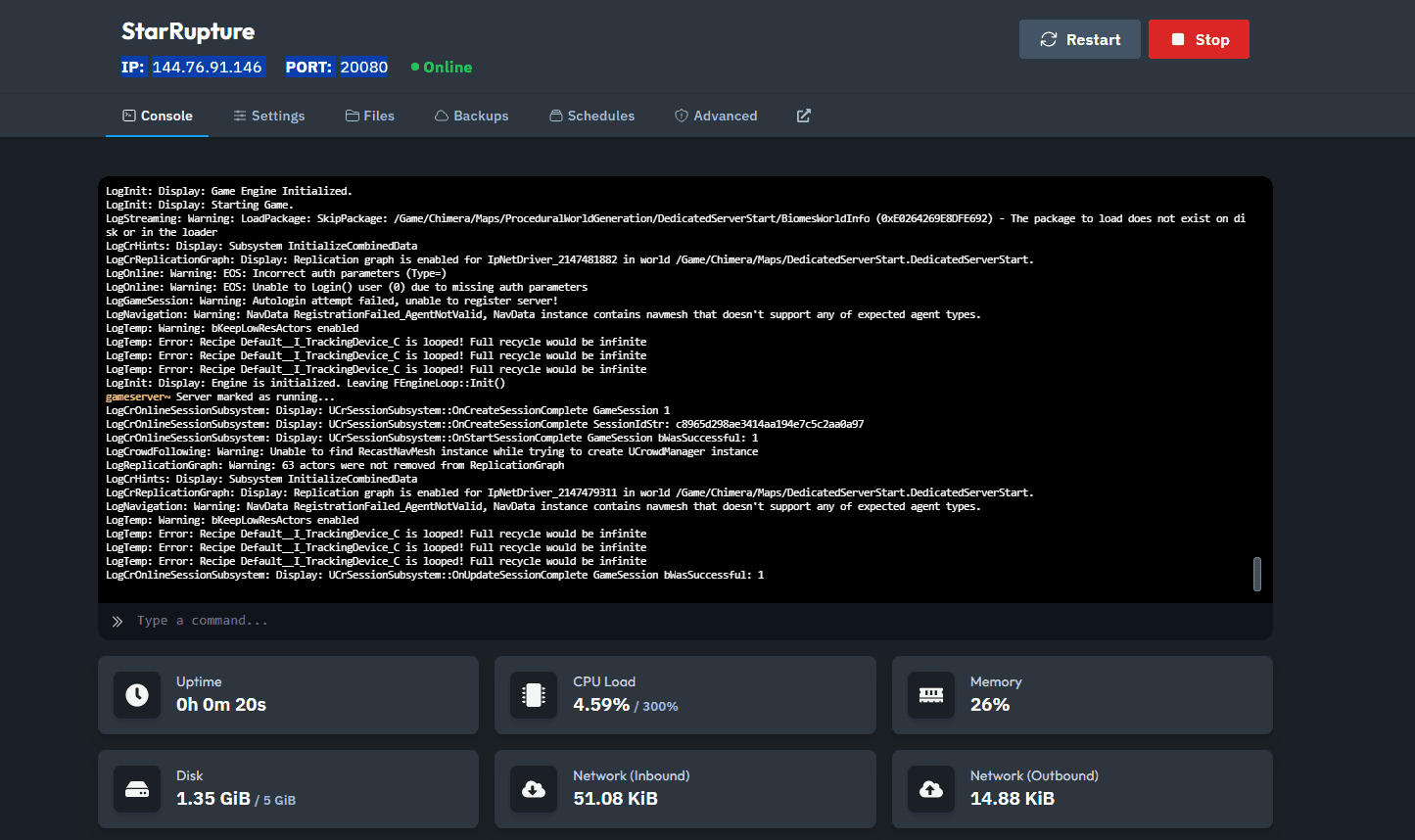
Step 1: Copy Your Server IP from the Server Panel
First, log into your server hosting panel and locate the IP address of your StarRupture server. Make sure to copy this, as you’ll need it for the setup process.
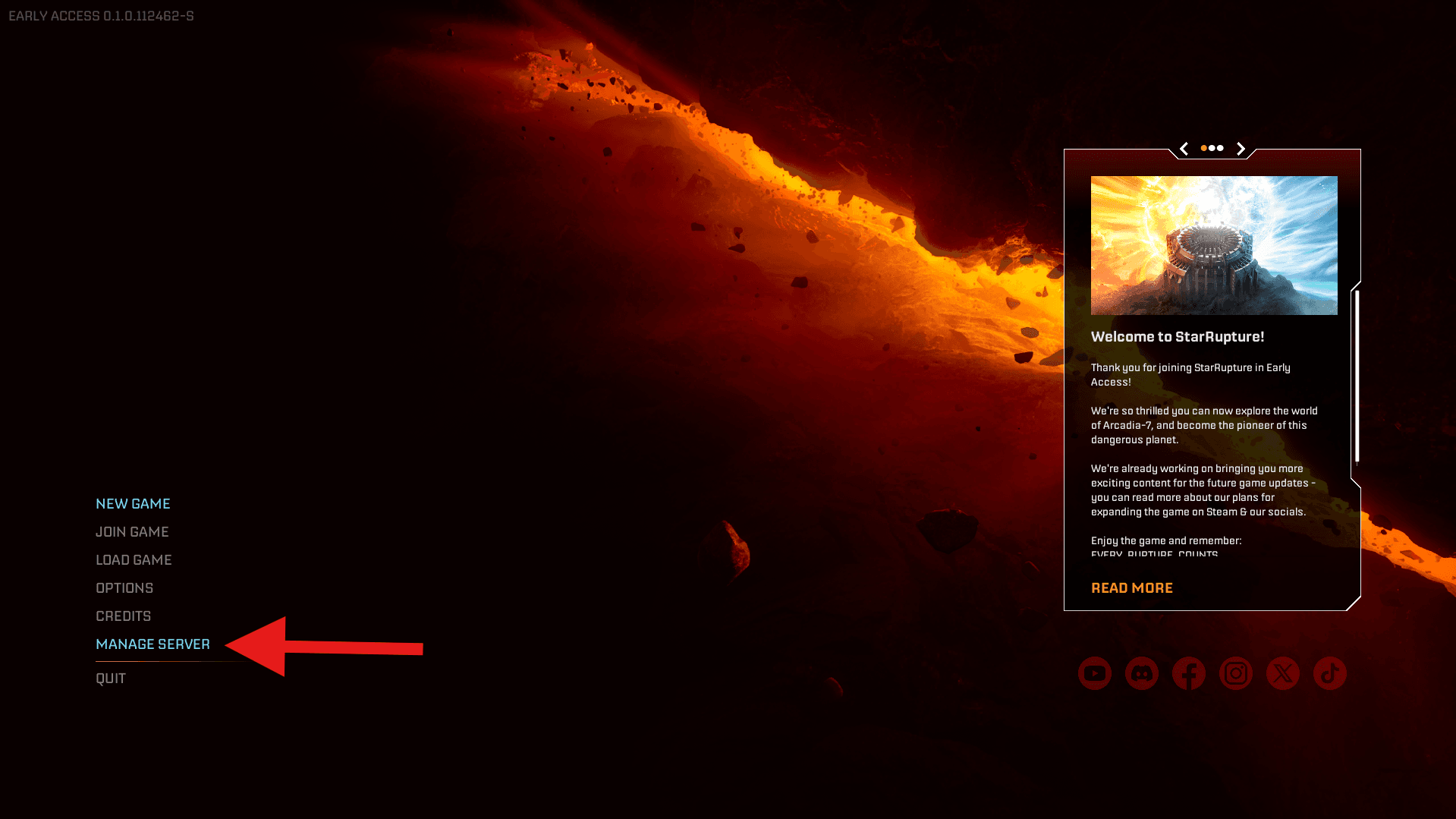
Step 2: Open StarRupture and Manage Server
Launch StarRupture and click on Manage Server . This is where you’ll create a Server Session that you can join.
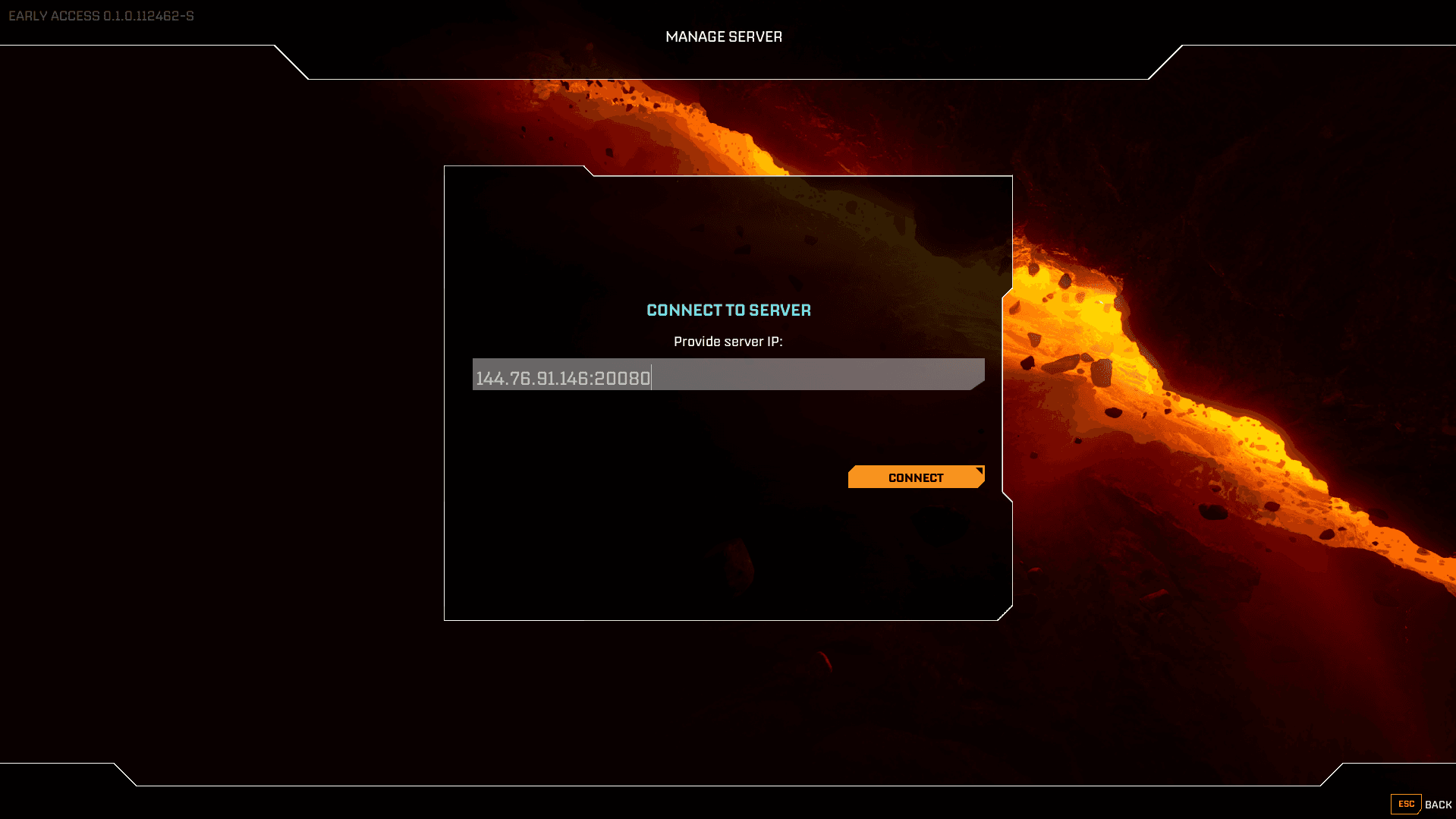
Step 3: Enter Your Server IP and Port
Paste the server IP you copied earlier and enter the port number provided by your server host. This is usually displayed alongside your server IP in the panel. Press Connect.
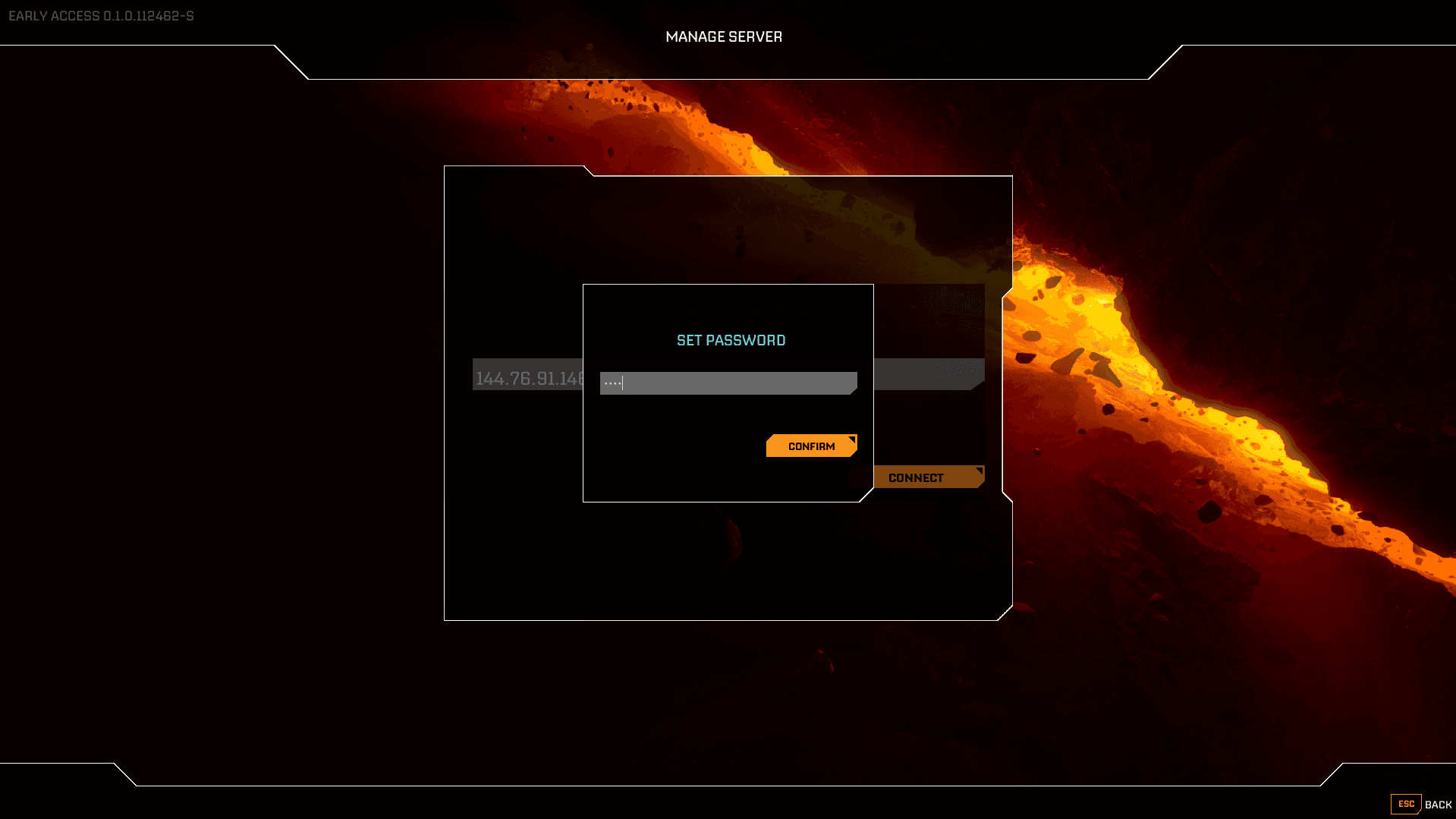
Step 4: Enter a Password
Enter a Password to manage the Server session.
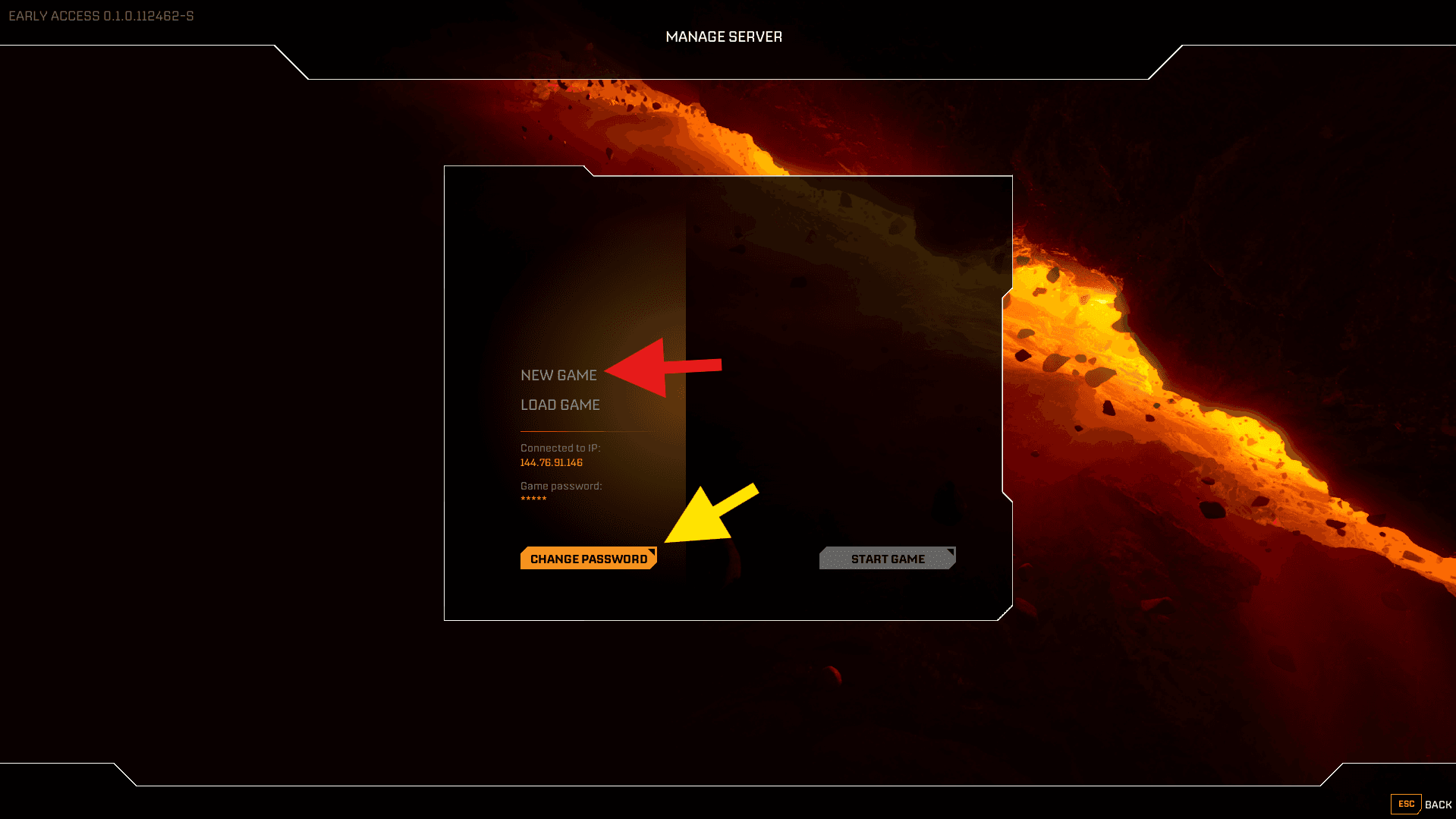
Step 5: Create a New Game or Load an Existing Game
Here you can create a New Game or Load an Existing game if you already placed the Save Files on your Server.
You can also set a connection password here.
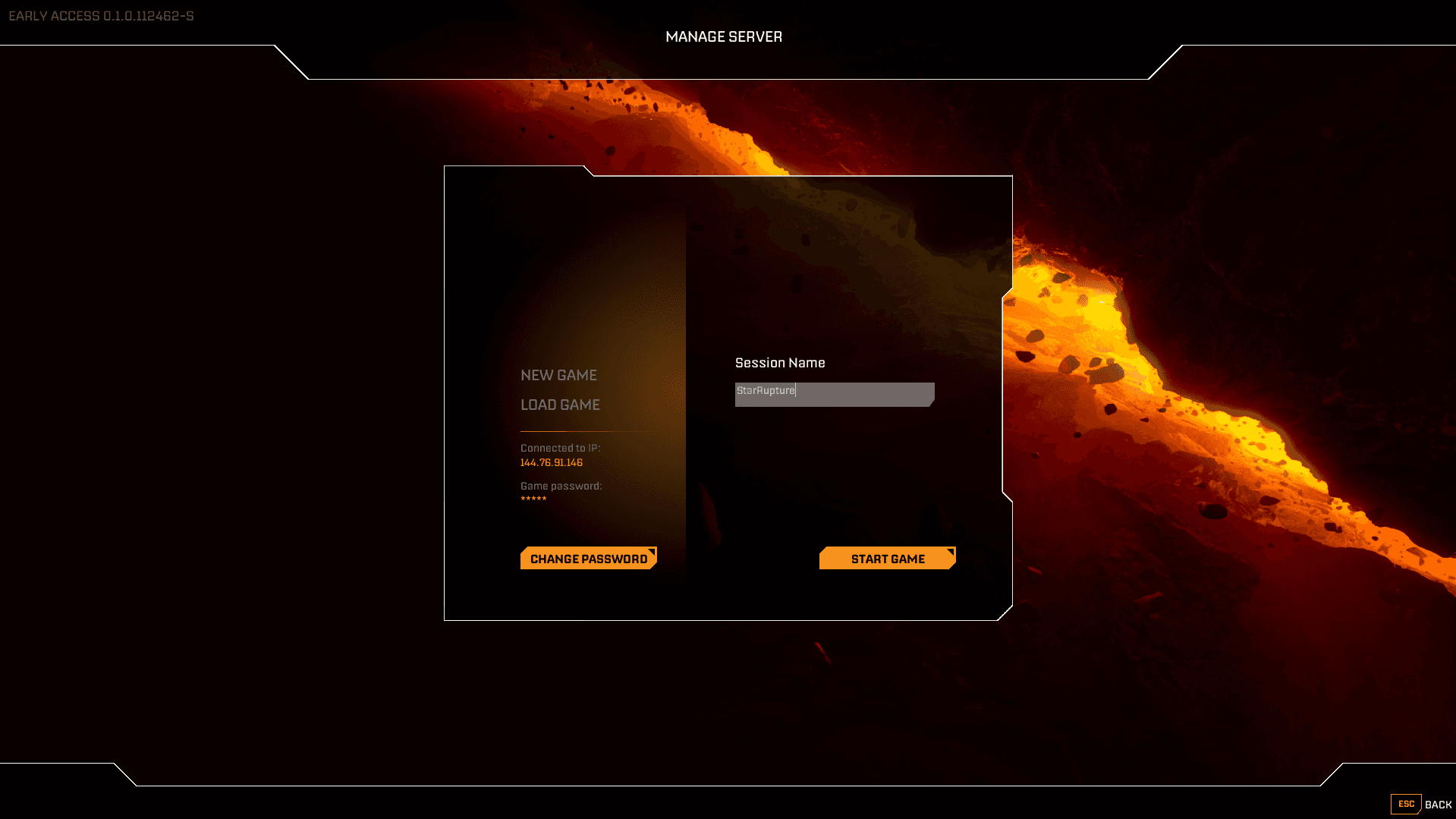
Step 6: Give your Session/Save File a Name and Start the Server
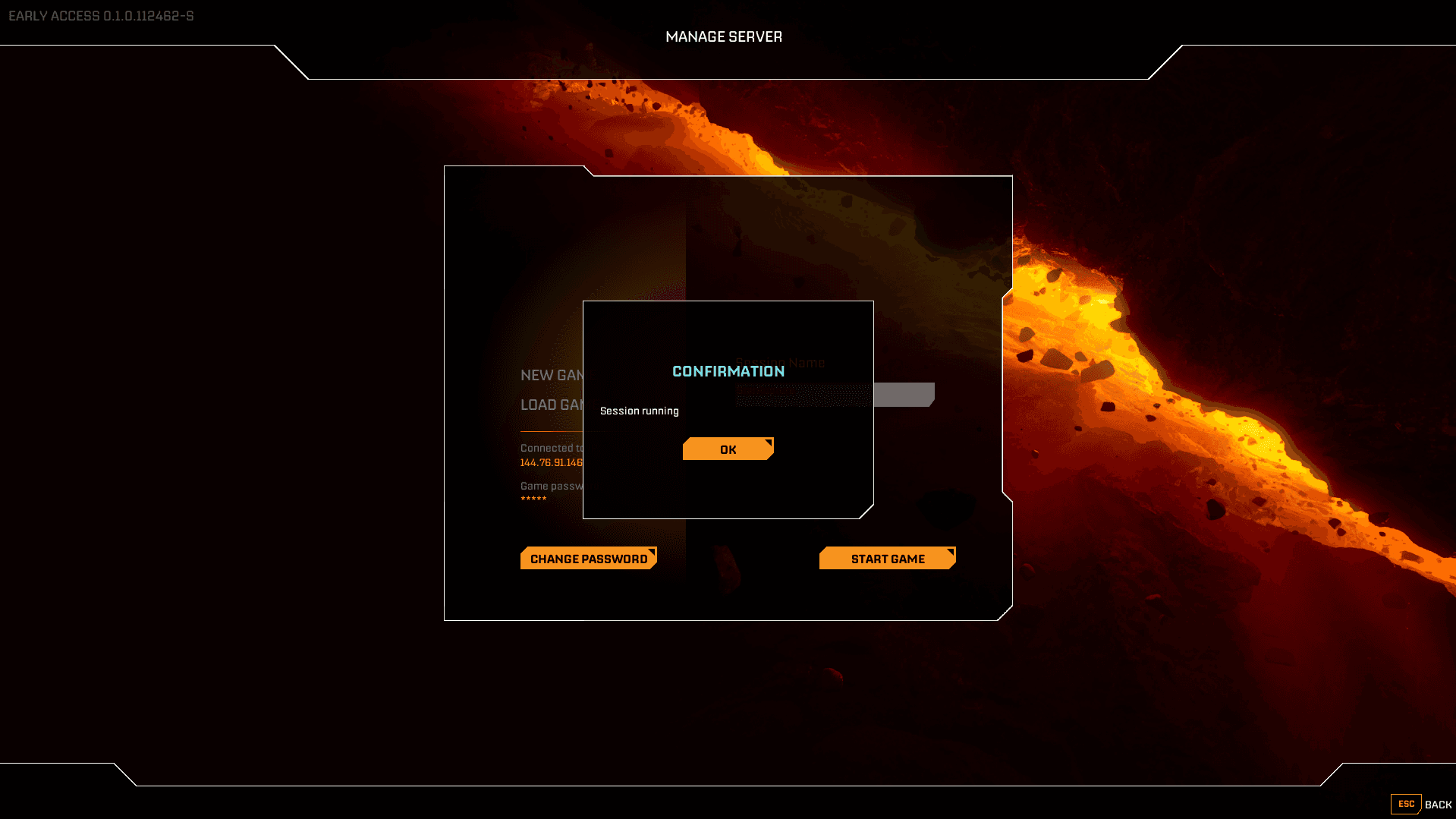
Now you can give your Session a name, and start the Server.
You will get a pop up that confirms that the session is started.
Step 7: Connect to your Server
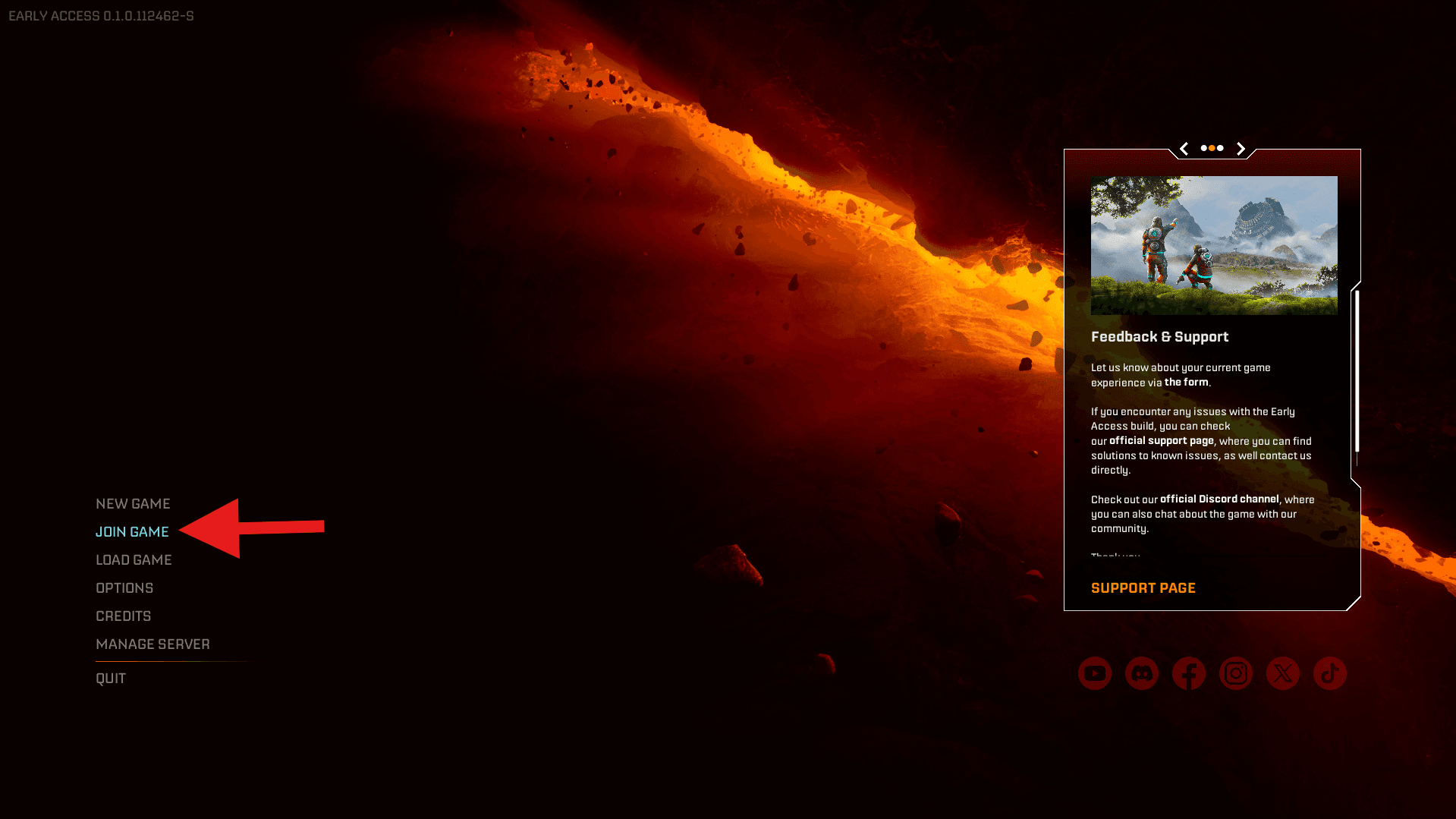
Go back to the Main Menu and Select Join Game
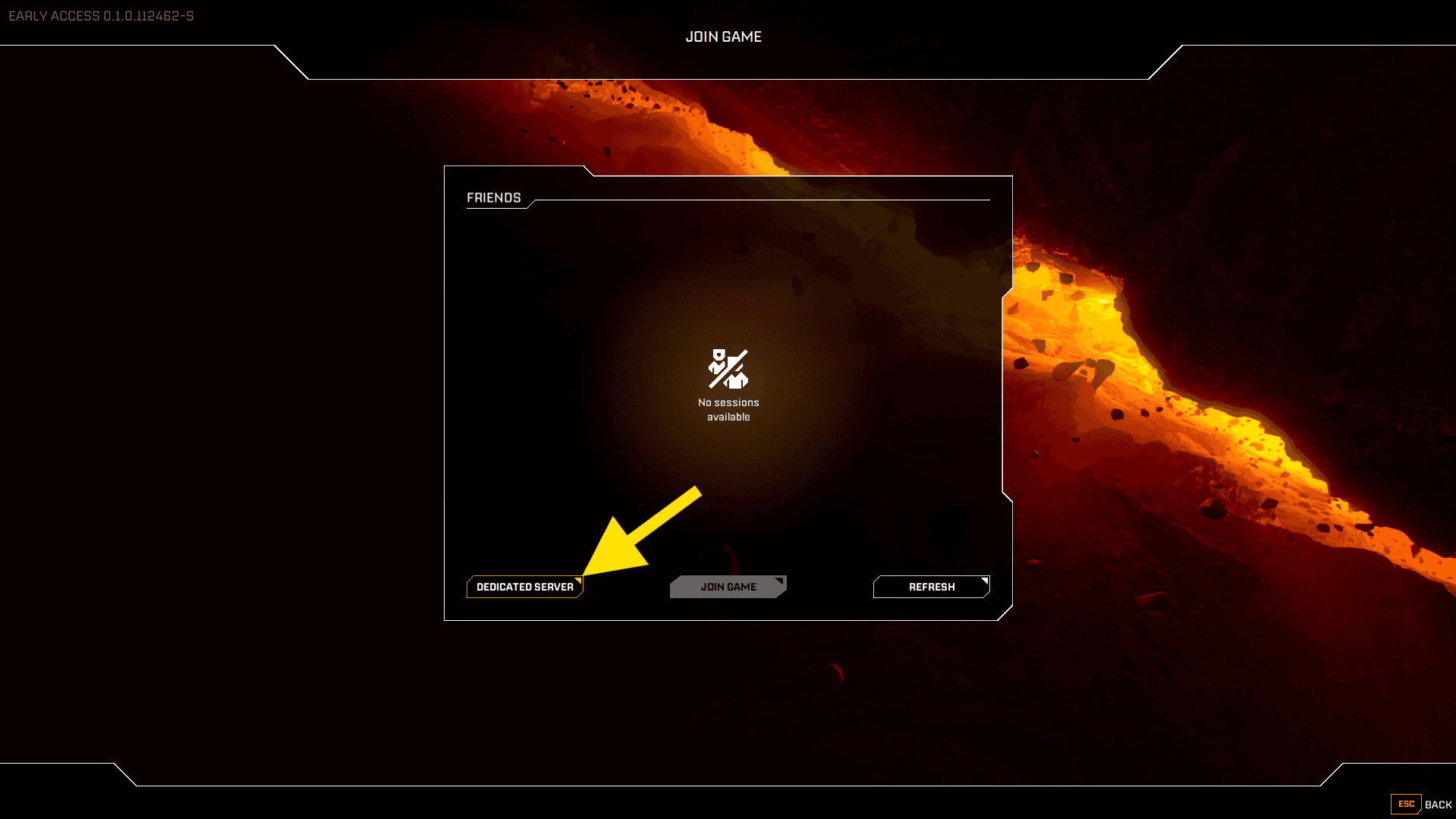
Click on Dedicated Server
Enter the IP+Port and your Password and press confirm.
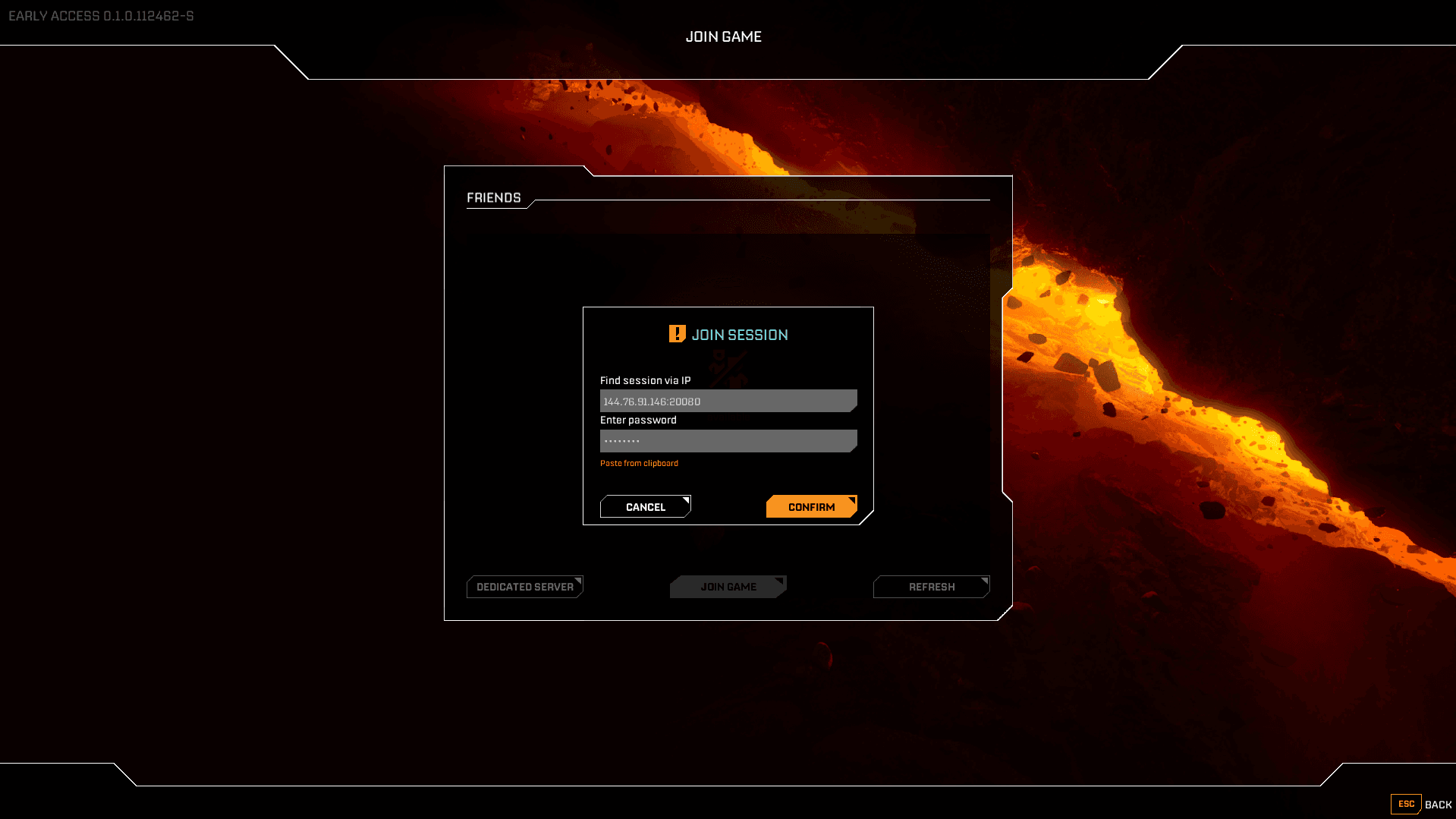
And thats how you connect to your own Dedicated StarRupture Server.