



Managing a Palworld dedicated server does not have to mean digging through configuration files or memorizing admin commands. The xREALM Palworld server panel gives you direct access to performance statistics, player management, announcements, a live world map, mods, backups, and more.
This guide explains the most useful Palworld server management features available in the xREALM panel.
📊Monitor Your Palworld Server from the Dashboard
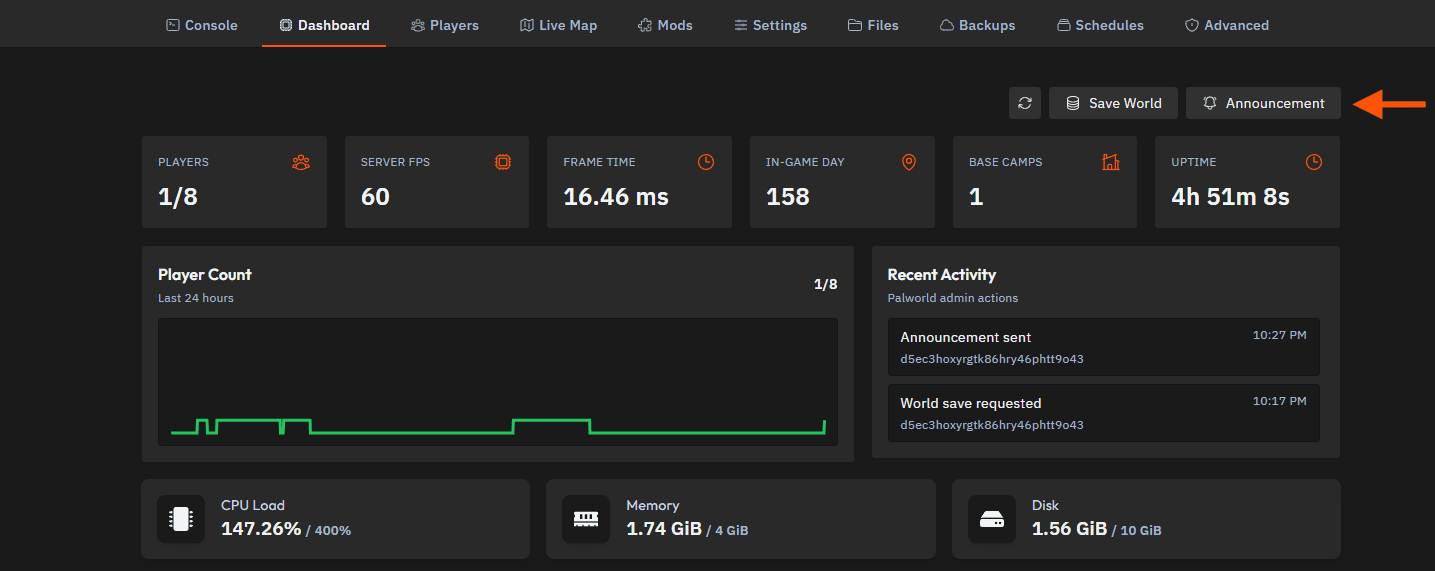
The Dashboard provides a clear overview of your Palworld server and its current performance.
Here you can check:
- Current and maximum player count
- Server FPS
- Frame time
- Current in-game day
- Number of base camps
- Server uptime
- CPU, memory, and disk usage
- Player activity from the last 24 hours
- Recent administrative actions
You can quickly check whether your server is running smoothly without searching through the console logs.
💾Save Your Palworld World Manually
The Save World button in the upper-right corner requests an immediate save of the current world.
This is particularly useful before:
- Restarting the server
- Installing or updating mods
- Changing important settings
- Creating a backup
- Performing server maintenance
Saving the world first helps ensure that the latest player, base, Pal, and world progress has been written correctly.
📢Send Announcements Directly In-Game
You can send messages to every online player directly from the xREALM dashboard.
Click Announcement, enter your message, and select Send.
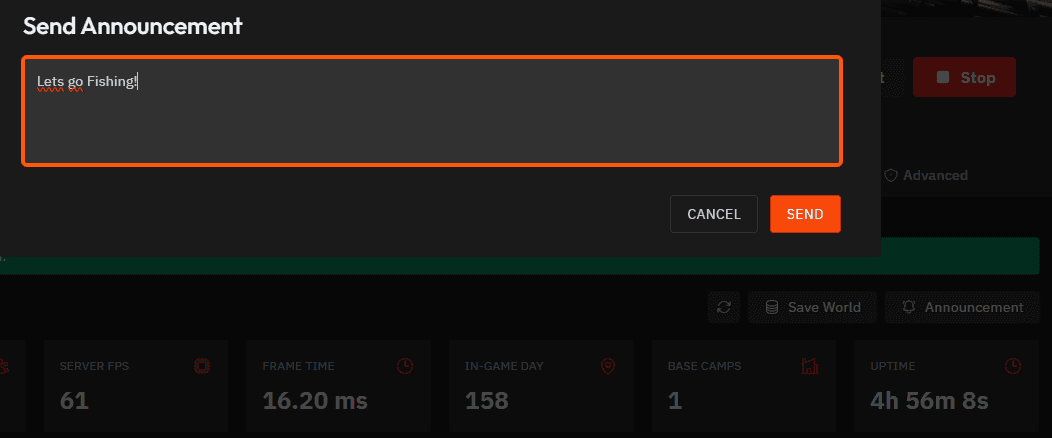
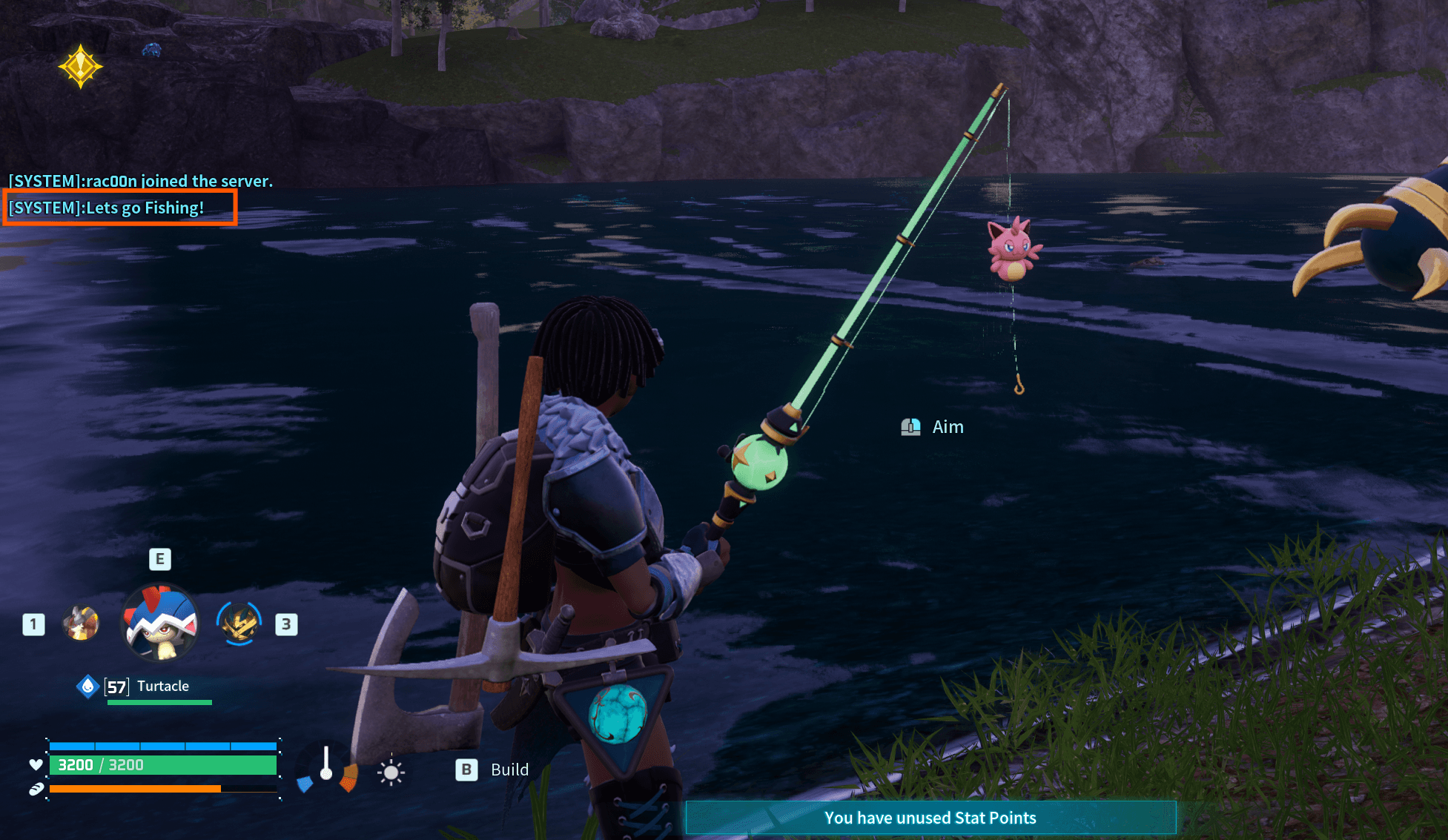
The message is immediately displayed as a system notification in the in-game chat.
This is useful for messages such as:
The server will restart in 10 minutes.
A server event starts at 8 PM.
Let’s go fishing!
You do not need to join the server or manually enter an admin command.
👥Manage Players from the Panel
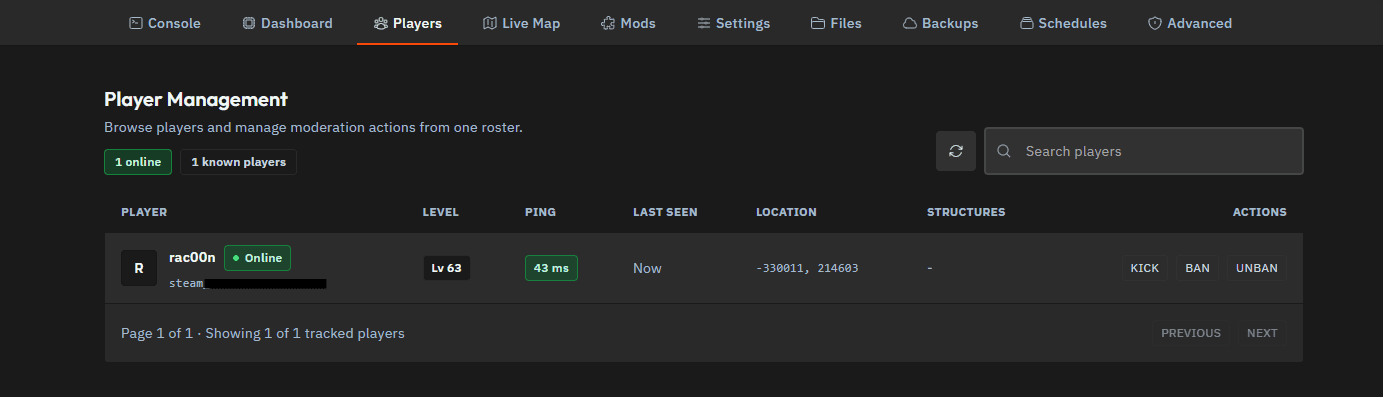
The Players tab gives you an overview of known and currently connected players.
For each player, the panel can display information such as:
- Online status
- Character level
- Current ping
- Last-seen time
- Current location
- Connected platform account
You can also search for individual players, making larger communities easier to manage.
🛡️Kick, Ban, or Unban Players
Moderation actions are available directly next to each player.
- Kick disconnects the player from the server.
- Ban prevents the player from reconnecting.
- Unban removes an existing server ban.
This allows you to handle disruptive players without opening the console or looking up their player ID manually.
🗺️Track Players and Alpha Pals on the Live Map
The Live Map provides an interactive overview of your Palworld world.
It can display:
- Live locations of online players
- Alpha Pal and Alpha Boss locations
- The complete Palworld world map
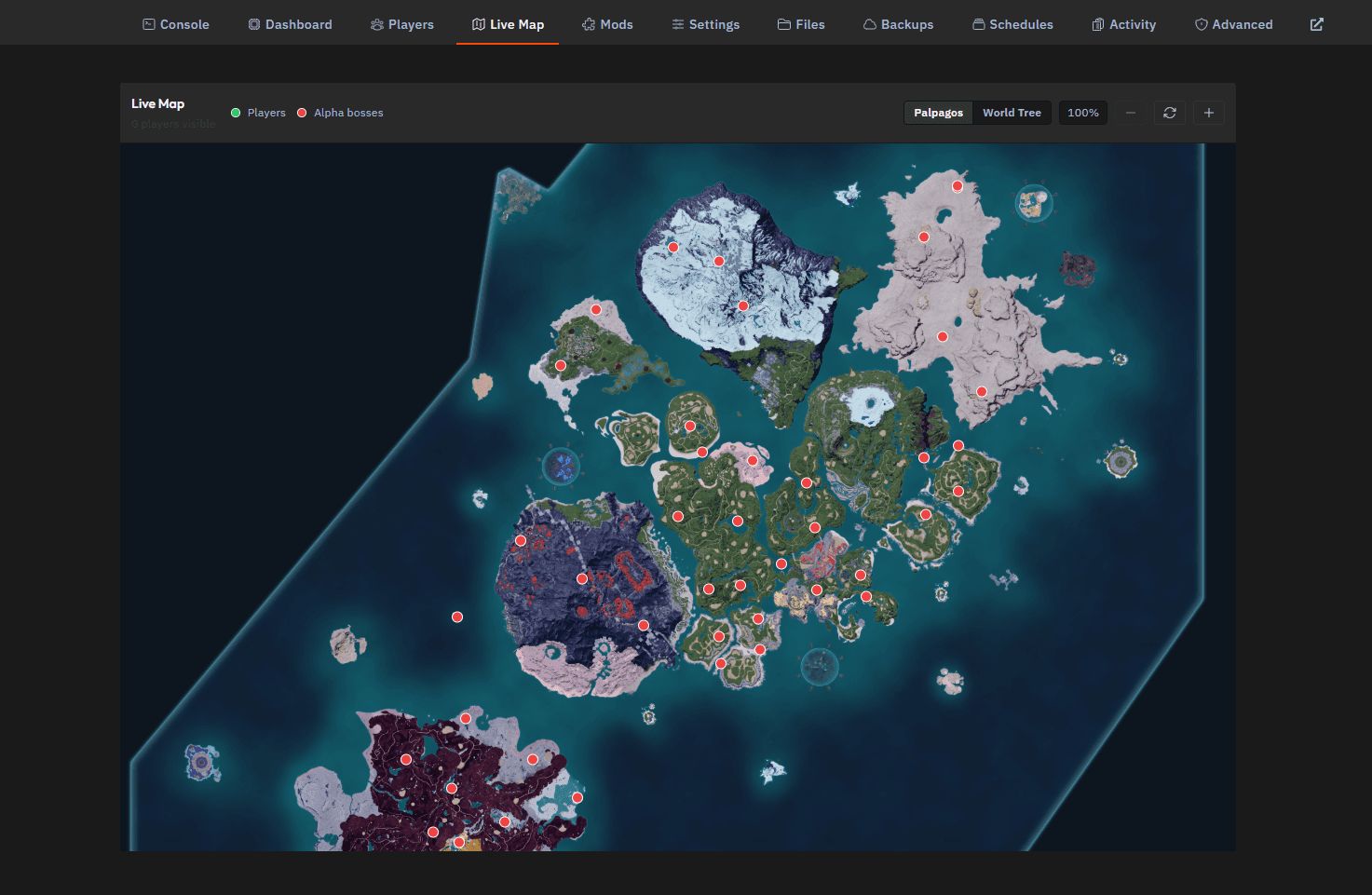
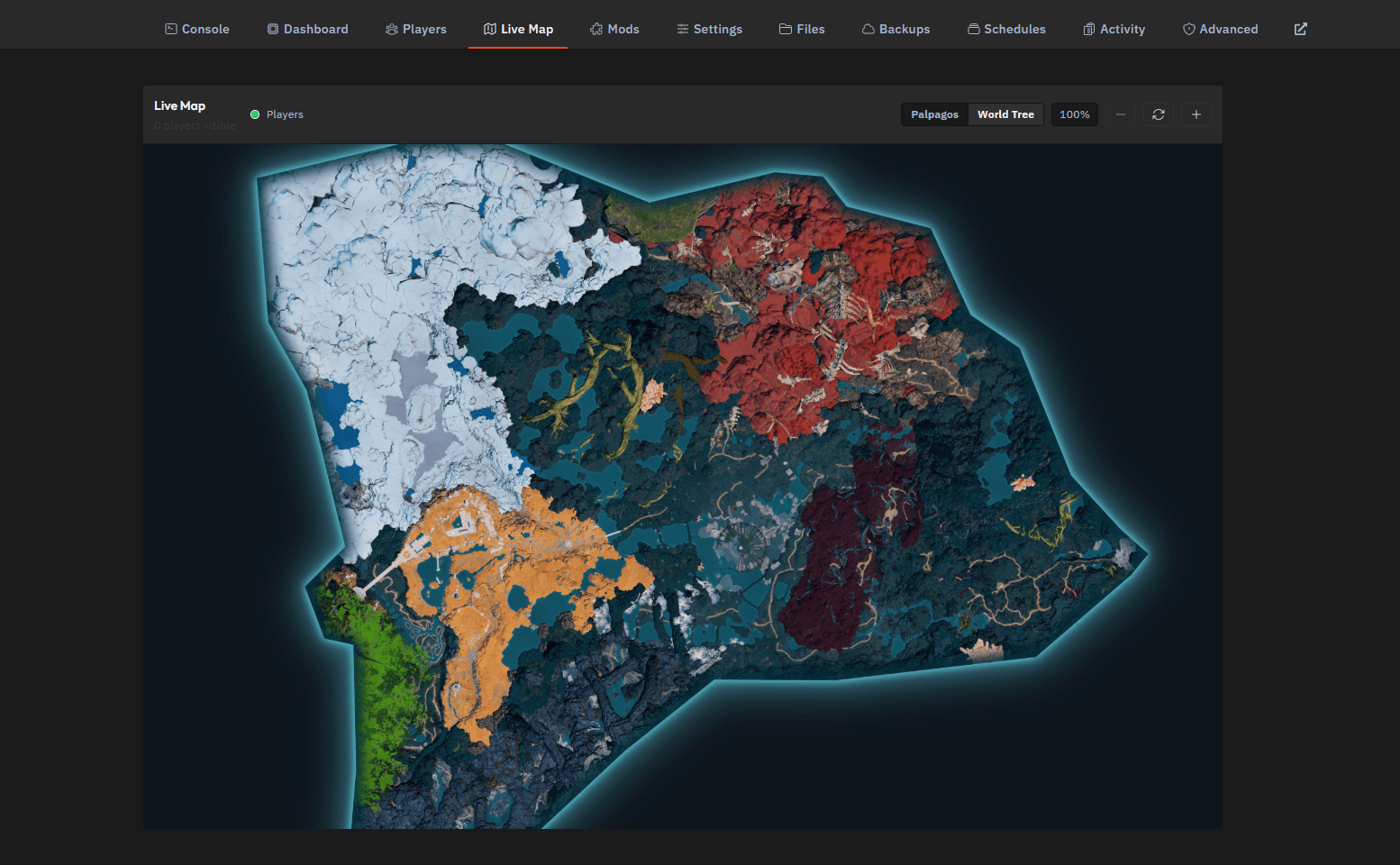
You can zoom in and out or refresh the map directly from the panel. This makes it easier to locate online players, plan group activities, or find your next Alpha Pal encounter.
🧩Install Palworld Mods from the Panel
The Mods tab allows you to browse and install Palworld mods without manually downloading and uploading every file.
You can:
- Search for specific mods
- Browse available Palworld mods
- Filter mods by supported version
- Sort results by relevance
- View descriptions and download information
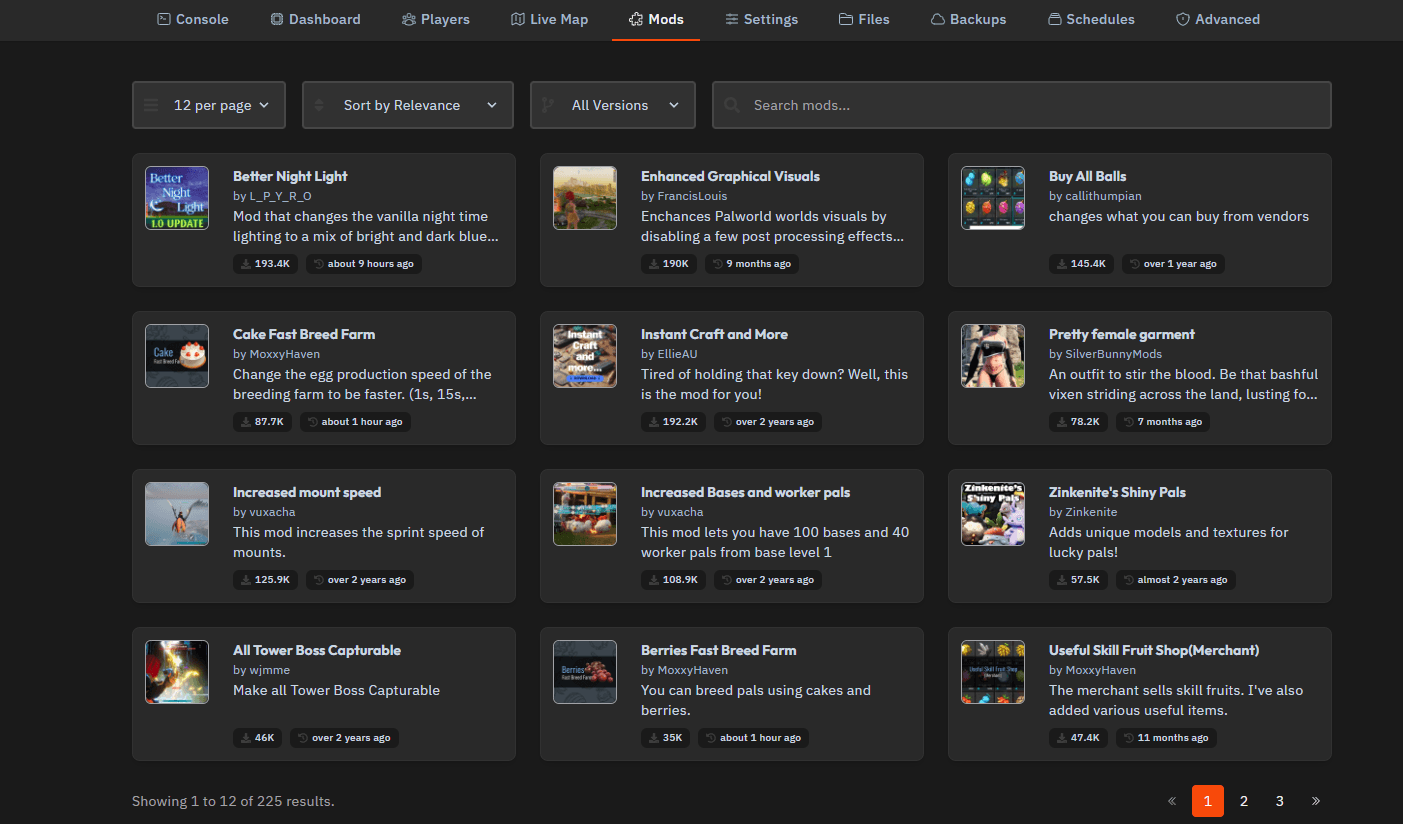
Available mods can add features such as:
- Faster crafting and breeding
- Increased mount speed
- Additional bases and worker Pals
- Visual improvements
- New merchant items
- Capturable Tower Bosses
- Custom Pal models and textures
💡Before installing a mod, check whether it supports your current Palworld version. Some mods may also require client-side installation or additional dependencies for every player joining the server.
⚙️Manage Everything from One Palworld Server Panel
The xREALM Palworld server panel brings the most important server management tools together in one place.
You can monitor performance, save the world, send announcements, manage players, view live locations, and install mods without relying on complicated console commands.
That means less time fighting with server administration and more time catching Pals.