



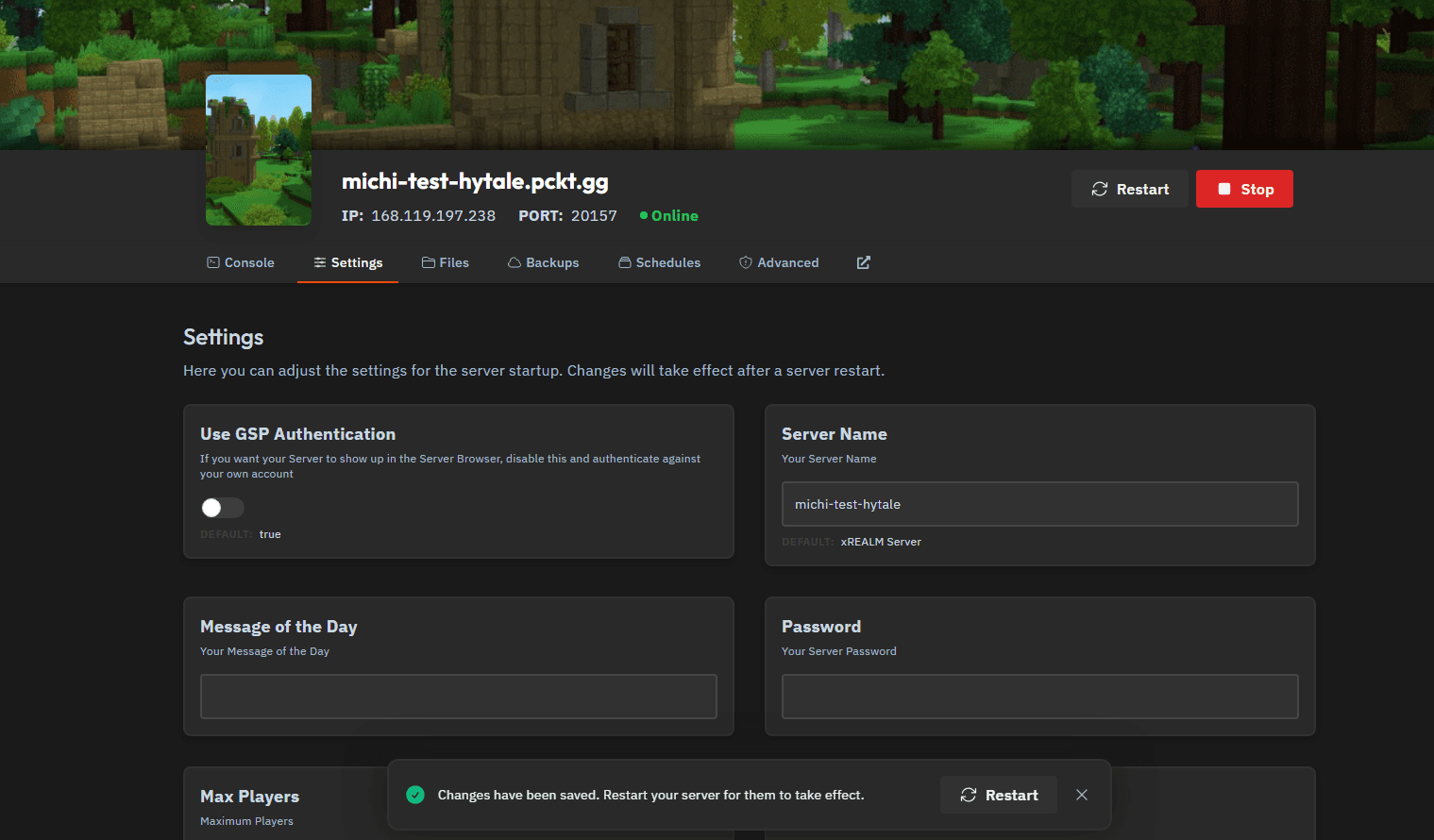
Step 1: Disable GSP Authentication
- Open the Settings tab of your server.
- Disable Use GSP Authentication.
- Restart the server to apply the change.
At this point, your server will intentionally start without valid credentials.
Step 2: Start Device Authentication from the Console
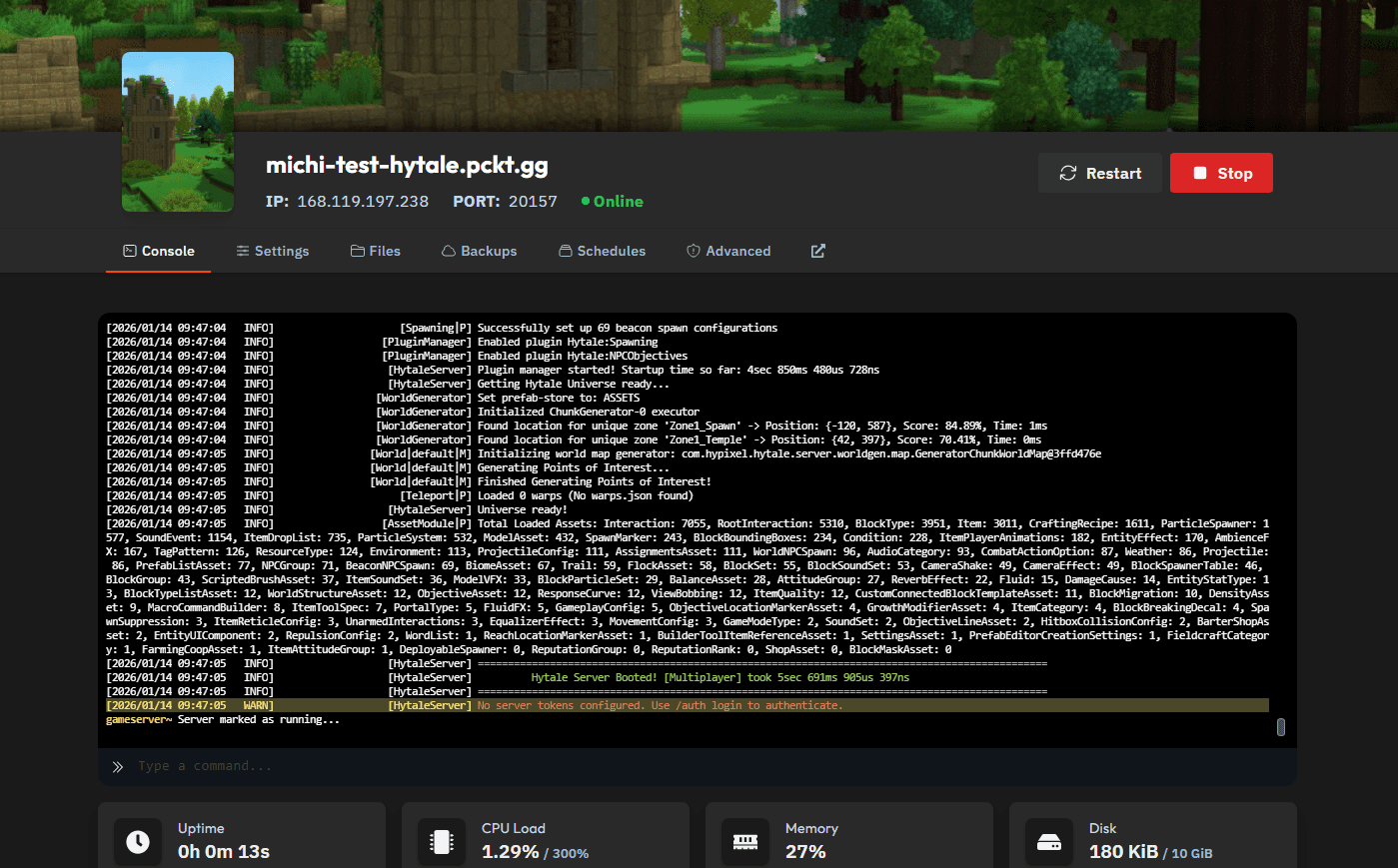
After the server finishes starting, open the Console tab. You will see a warning similar to:
No server token configured. Use /auth login to authenticate.
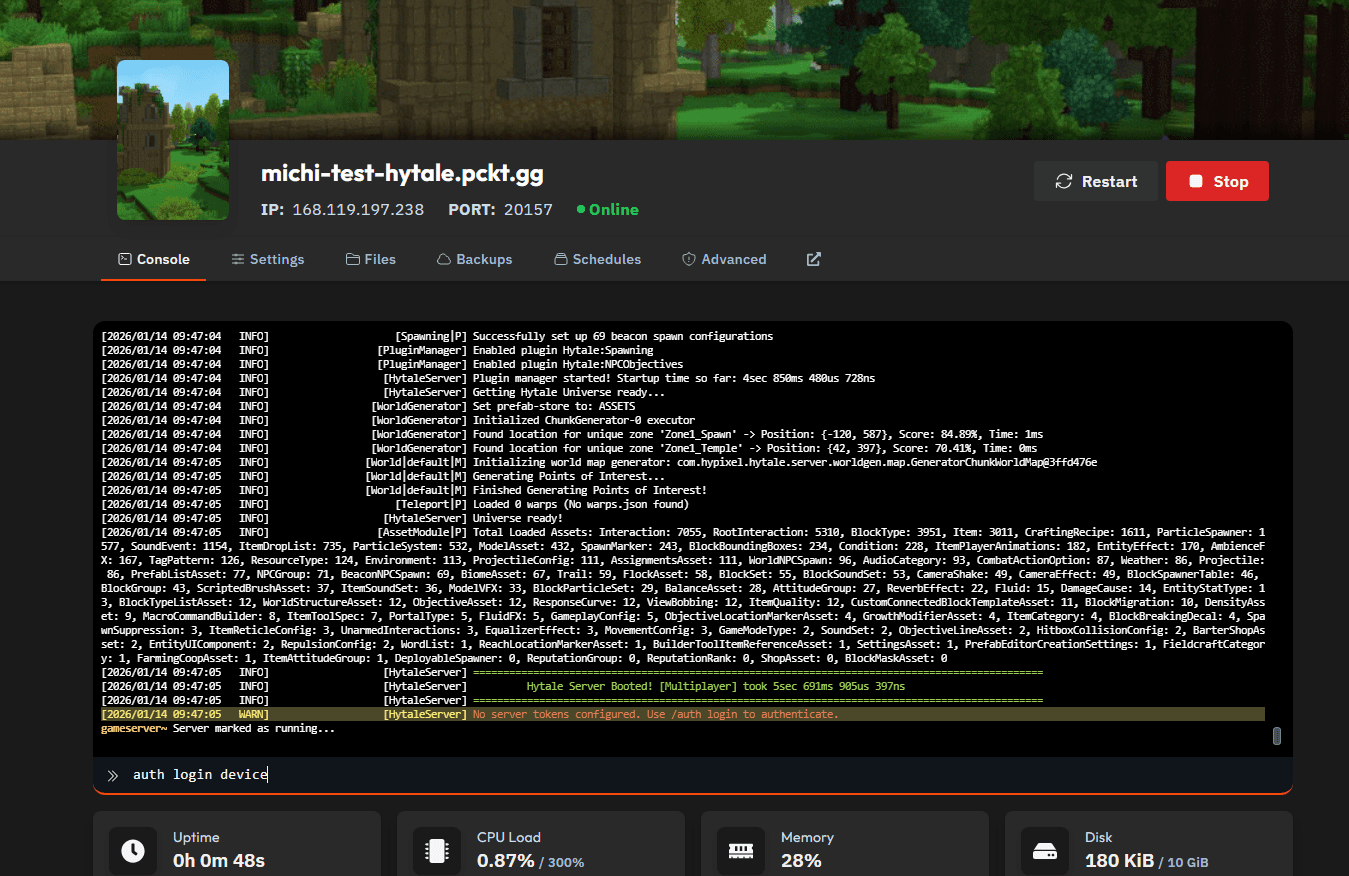
In the console command input, type:
auth login device
Then press Enter.
Step 3: Open the Device Authorization Link
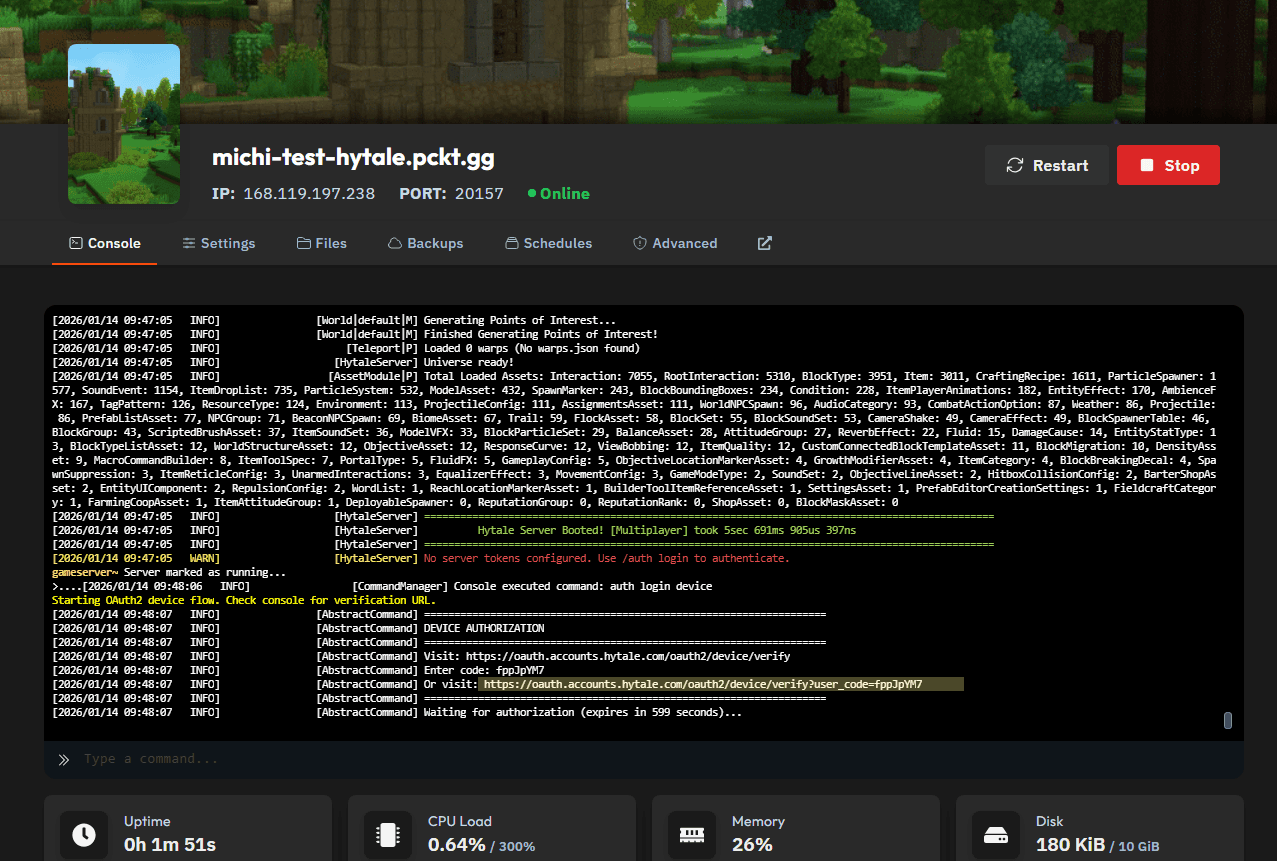
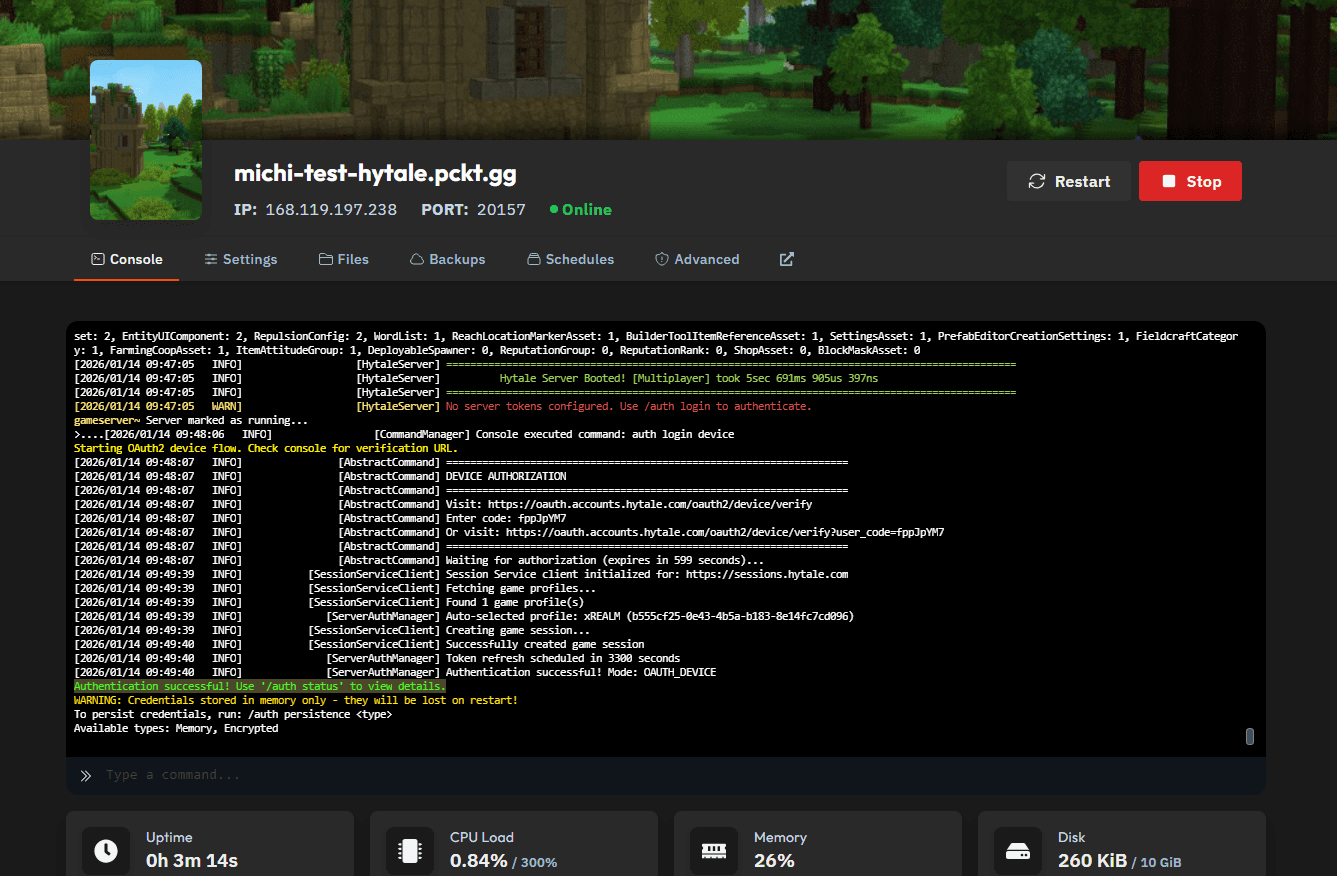
The server will now print a DEVICE AUTHORIZATION block in the console, similar to this:
DEVICE AUTHORIZATION
===================================================================
Visit: https://accounts.hytale.com/device
Enter code: ABCD-1234
Or visit: https://accounts.hytale.com/device?user_code=ABCD-1234
===================================================================
Waiting for authorization (expires in 900 seconds)...
Click the direct authentication link (the one containing user_code=). This is faster and avoids manual code entry.
Step 4: Approve the Device and Log In
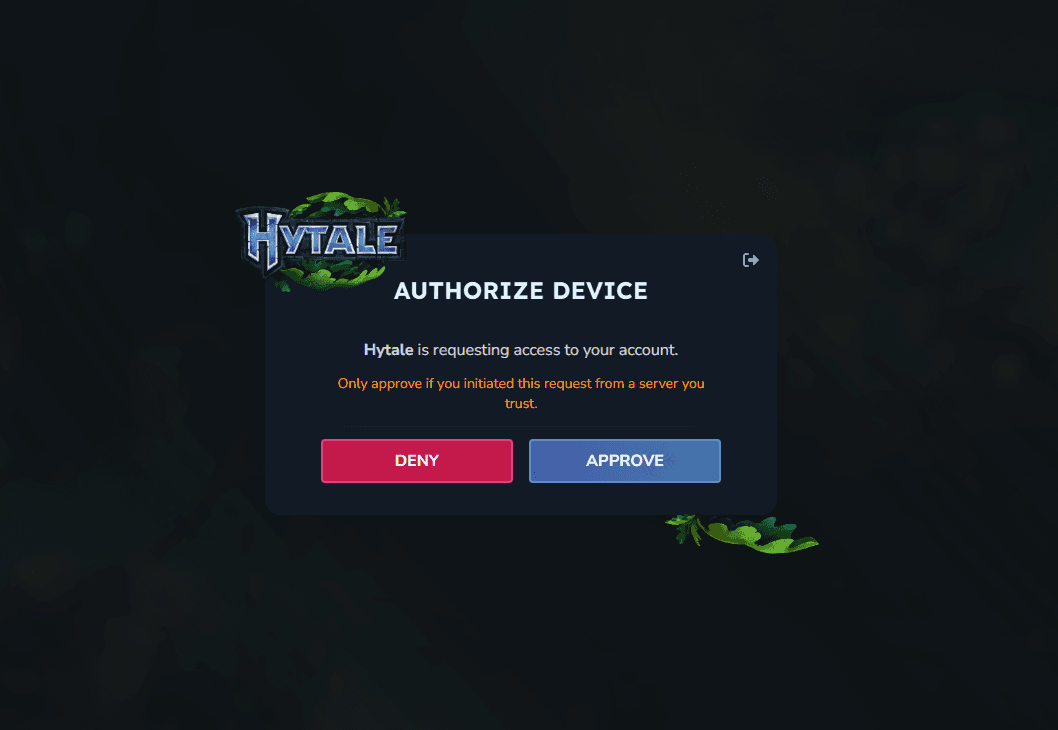
A browser window will open showing an Authorize Device prompt.
- Click Approve to confirm the device request.
- You will then be redirected to log in to your Hytale account.
- Complete the login to finish authorization.
Only approve requests you initiated and only for servers you trust.
Step 5: Confirm Successful Authentication
Once authorization is complete:
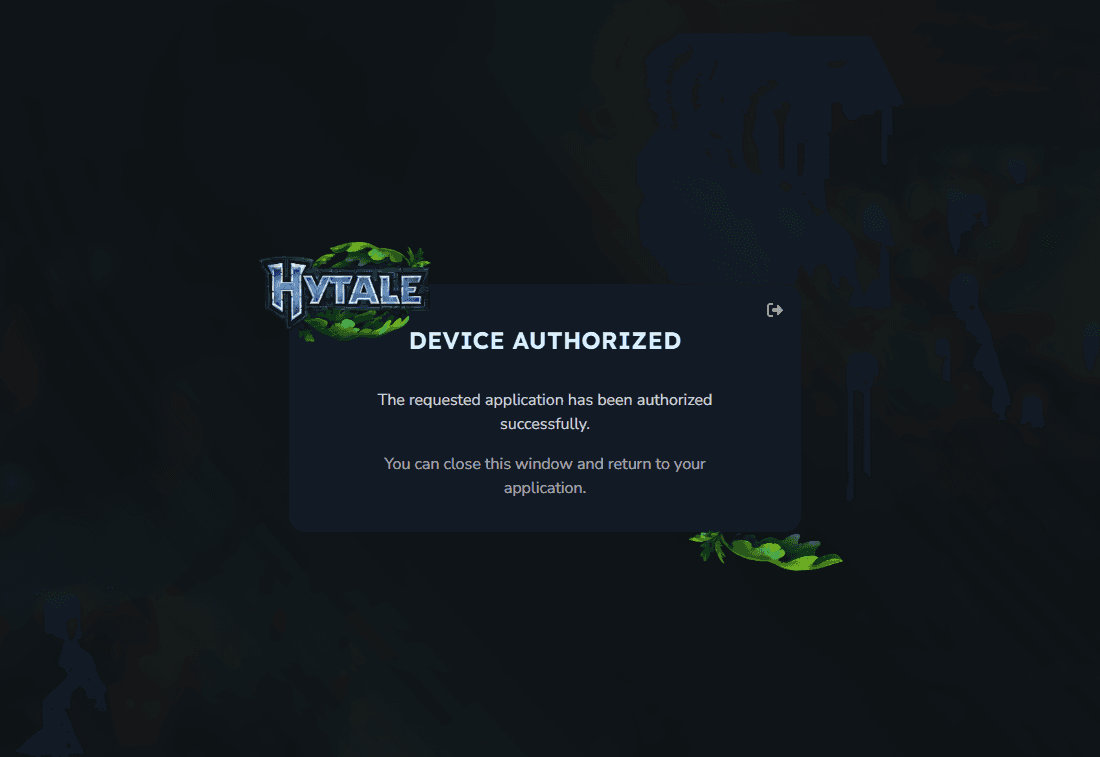
- The browser will display a Device Authorized confirmation.
- The server console will log a success message indicating authentication has completed.
Important Notes
- • Authentication is currently not persistent. You must repeat this process after every server restart.
- • Credentials are stored in memory only unless persistence is explicitly supported in future Hytale server updates.
- • This behavior is expected during current development stages.
And that’s how you switch from Game Server Provider authentication to personal account authentication for your Hytale server.
Doing this ensures your server will be eligible for Server Discovery once it’s implemented.
For now, this guide is optional