



How to Join Your Palworld Server
Want to start playing on your xREALM Palworld server? Follow the steps below to connect through the in-game server browser or directly with your server IP and port.
1. Start Your Palworld Server
First, open your server panel and start your Palworld server.
Wait until the server is fully online before trying to connect. This can take a short moment after pressing start.
2. Start Palworld
Launch Palworld and wait until you reach the main menu.
3. Open Multiplayer
Click on Join Multiplayer Game in the main menu.
This will open the Palworld server browser.

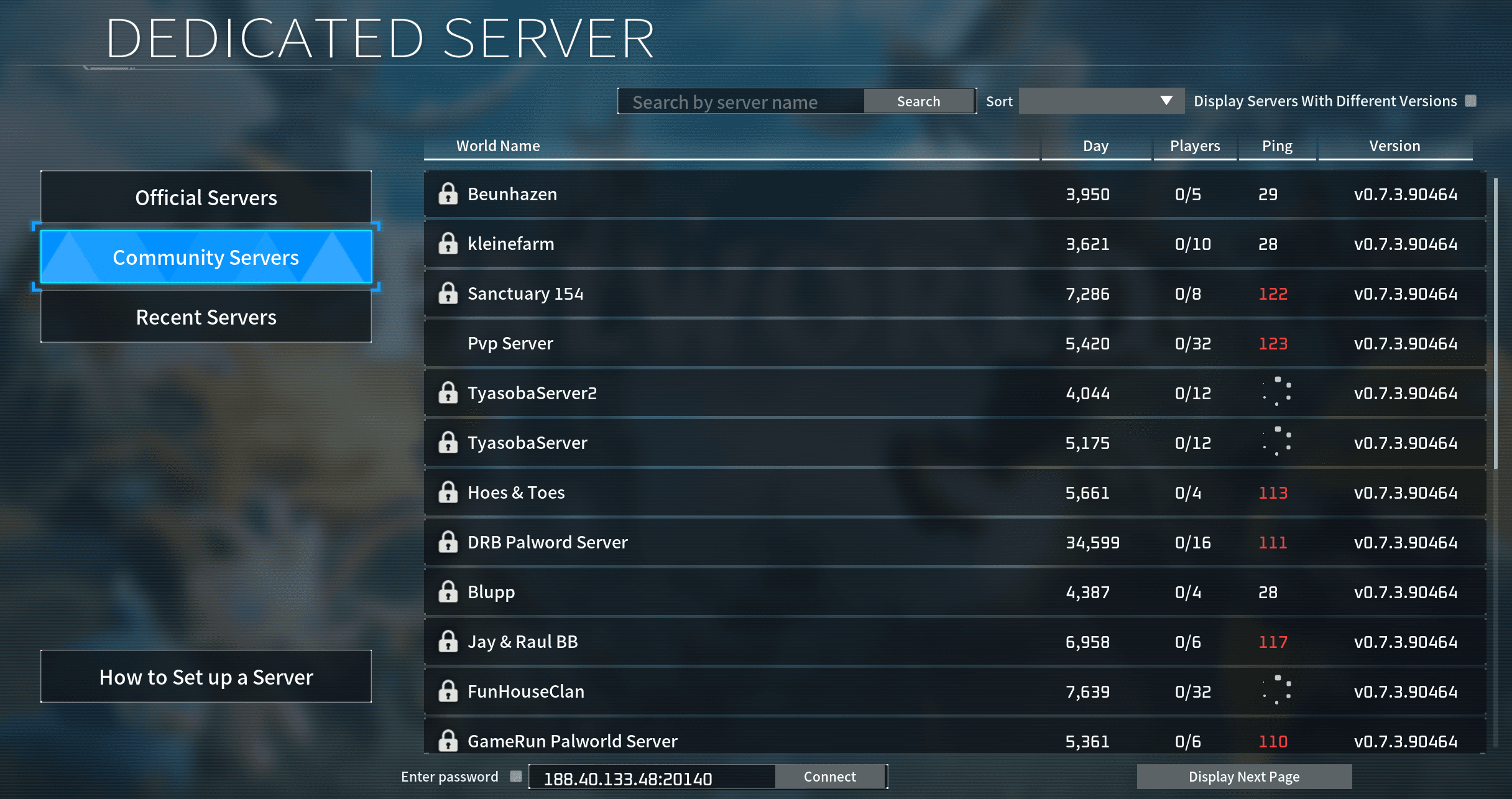
4. Select Community Servers
In the server browser, make sure to select Community Servers on the left side.
Your server will only appear in the correct server category, so this step is important.
5. Search for Your Server Name
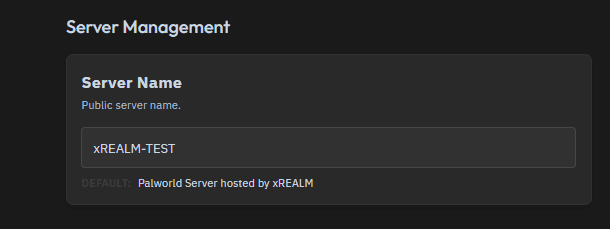
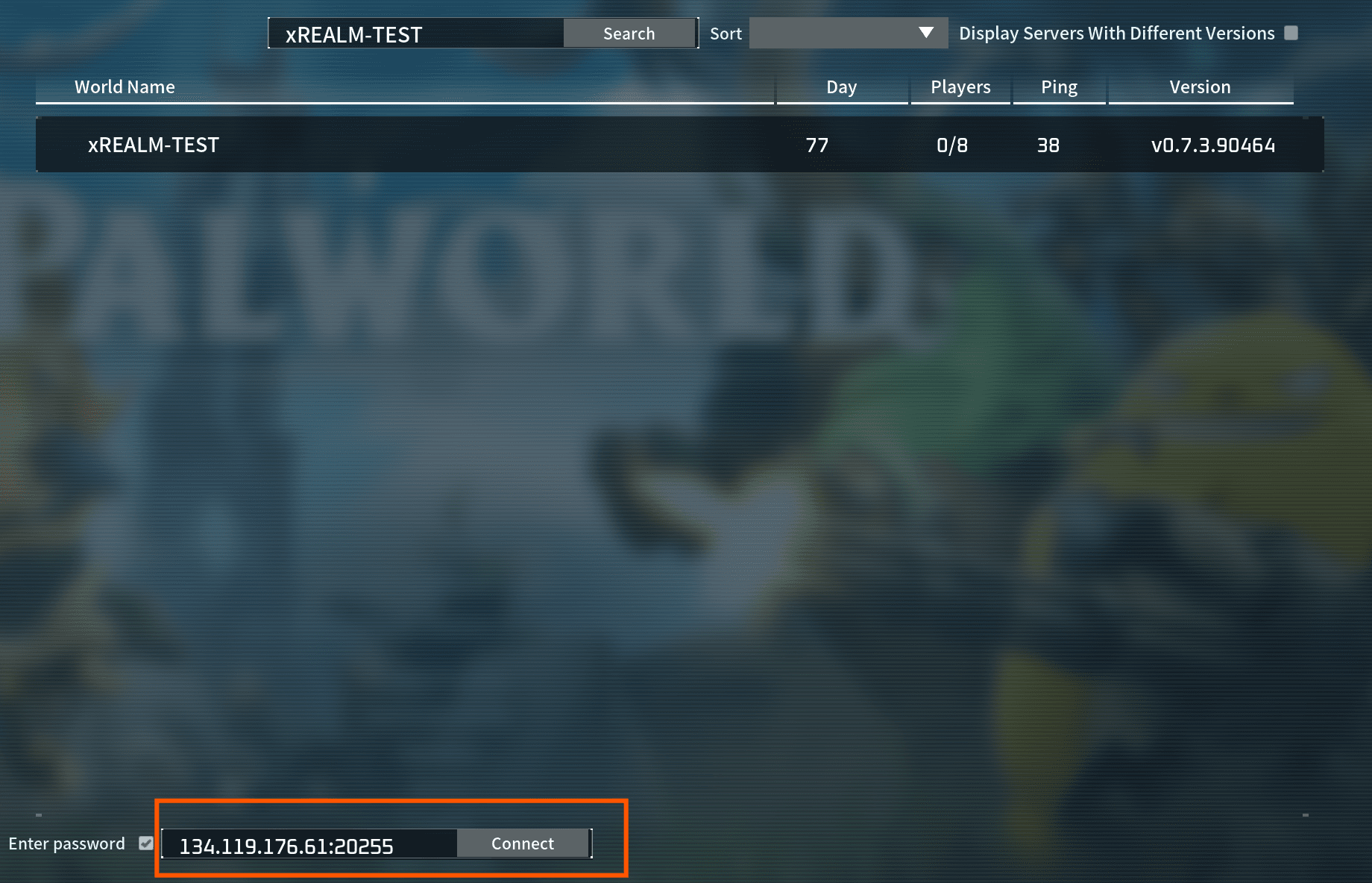
You can now search for the name of your Palworld server.
You can find or change your server name in the Settings tab of your server panel.
After entering the server name, your server should appear in the list. Click on it to join.

6. Connect via IP and Port
If you cannot find your server in the browser, you can also connect directly using your server IP and port.
At the bottom of the Palworld server browser, enter your server’s IP address and port, then connect directly.
Example format:
123.123.123.123:8211
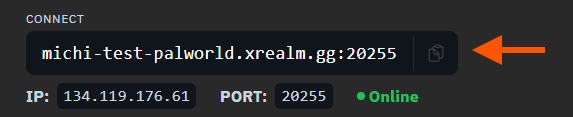
You can find your server IP and port in your server panel.
Or you can copy and paste the internal server connection (marked with an arrow in the screenshot).
You’re Ready to Play 🎮
That’s it! You can now join your xREALM Palworld server and start catching Pals with your friends.
Good luck and have fun exploring Palworld! 🐾