


Nobody wants their WARDOGS server to restart in the middle of a match.
With our new match-end restart automation, xREALM customers can schedule server restarts that wait for the current match to finish before taking the server offline.
You can also send custom in-game announcements before the restart.
Important: The scheduled time starts the restart process. The actual restart happens after the current match ends.
WARDOGS Server Restart Automation
How Does It Work?
There are two parts:
Schedule = when
The schedule defines when the restart process should start.
Task = what
The task defines what should happen at that time.
For example, if you create a daily schedule for 12:00 and add the match-end restart task, the server starts waiting for the current match to finish at 12:00.
It then restarts during the following map loading phase.
What About the Built-In 24-Hour Restart?
WARDOGS already has a restart system controlled by BULKHEAD.
After 24 hours of server uptime, a restart becomes due. If a match is running, the game waits for that match to finish.
This system is separate from your xREALM restart schedule.
Restarting your server also resets the 24-hour uptime timer.
How to Set Up a Match-End Restart
Open your WARDOGS server and go to Schedules.
Click Create schedule.
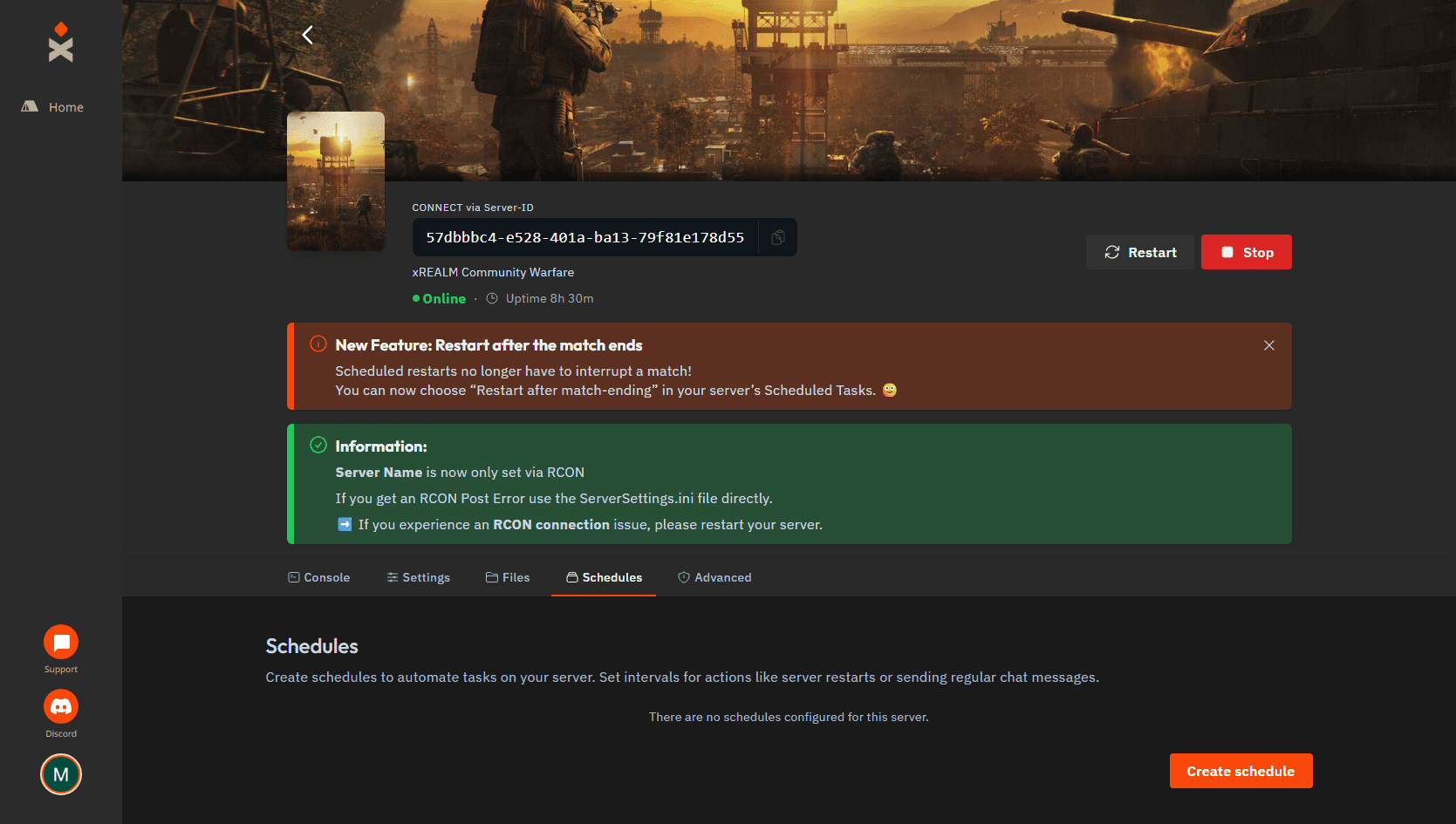
Choose:
- A schedule name
- How often it should run
- The time when the restart process should start
Keep Only When Server Is Online and Schedule Enabled turned on.
Then create the schedule.
.png&w=3840&q=75)
Now open your new schedule and click New Task.
.png&w=3840&q=75)
Under Action, select:
[Wardogs] Restart after match-ending
This is the task that waits for the current match to finish instead of immediately restarting the server.
You can also configure:
Announcement at scheduled time
Sent when the restart process begins.
Announcement near match end
Sent when the current match is close to ending.
Announce at leading-team score
Controls when the second announcement is sent. The default is 90 points.
Leave Time offset (in seconds) at 0 unless you specifically want to delay the task.
Then click Create Task.
.png&w=3840&q=75)
That's it.
Your setup now works like this:
Schedule → starts the task → waits for match end → restarts server
What Happens on an Empty Server?
If fewer than 20 players are connected and all teams still have 0 points, the server can restart earlier instead of waiting for the full match.
The task waits at least one minute after the first announcement and checks again before restarting.
Existing Restart Schedules
If your current schedule uses:
Send power action → Restart the server
that is still a normal restart and can interrupt an active match.
Replace that task with:
[Wardogs] Restart after match-ending
if you want the server to wait until the current match is finished.
Example Restart Announcements
When the restart process begins:
A server restart is due. Finish the current match and reconnect after the restart!
Near the end of the match:
The server will restart during map loading after this match. Please reconnect once it is back online.
Quick FAQ
Does the scheduled time mean the server restarts immediately?
No. It starts the restart task. If a match is running, the server waits for it to finish.
Does this replace BULKHEAD's 24-hour restart?
No. BULKHEAD's built-in restart remains active separately.
How long is the server offline?
Once the server is detected as offline, the task waits 90 seconds before starting it again. Shutdown and startup time are additional.
Get Your Own WARDOGS Server
With xREALM WARDOGS Server Hosting, you can manage your server, create custom restart schedules and automatically wait for matches to finish before restarting.
Rent your own dedicated WARDOGS server with xREALM and manage your restart schedule directly from the server panel.