



Step 1: Find a Mod
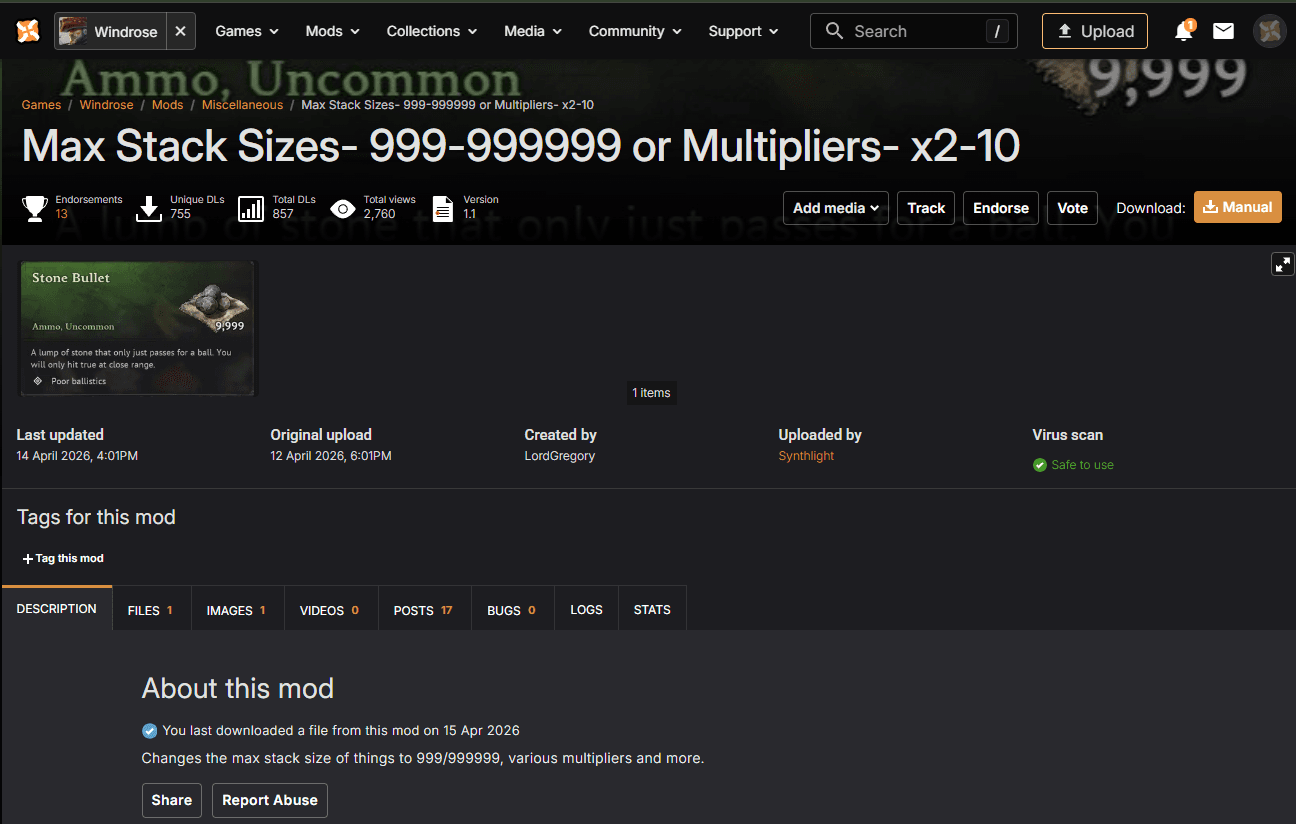
Find a mod you like that supports server or multiplayer use.
You can browse mods here:
https://www.nexusmods.com/games/windrose
Step 2: Download the Mod
Download the mod files.
- Mods are usually downloaded as
.zip,.rar, or.7zarchives - Extract them to get the
.pakfiles
Step 3: Navigate to the Mods Folder
- Open your server panel
- Go to the Files tab
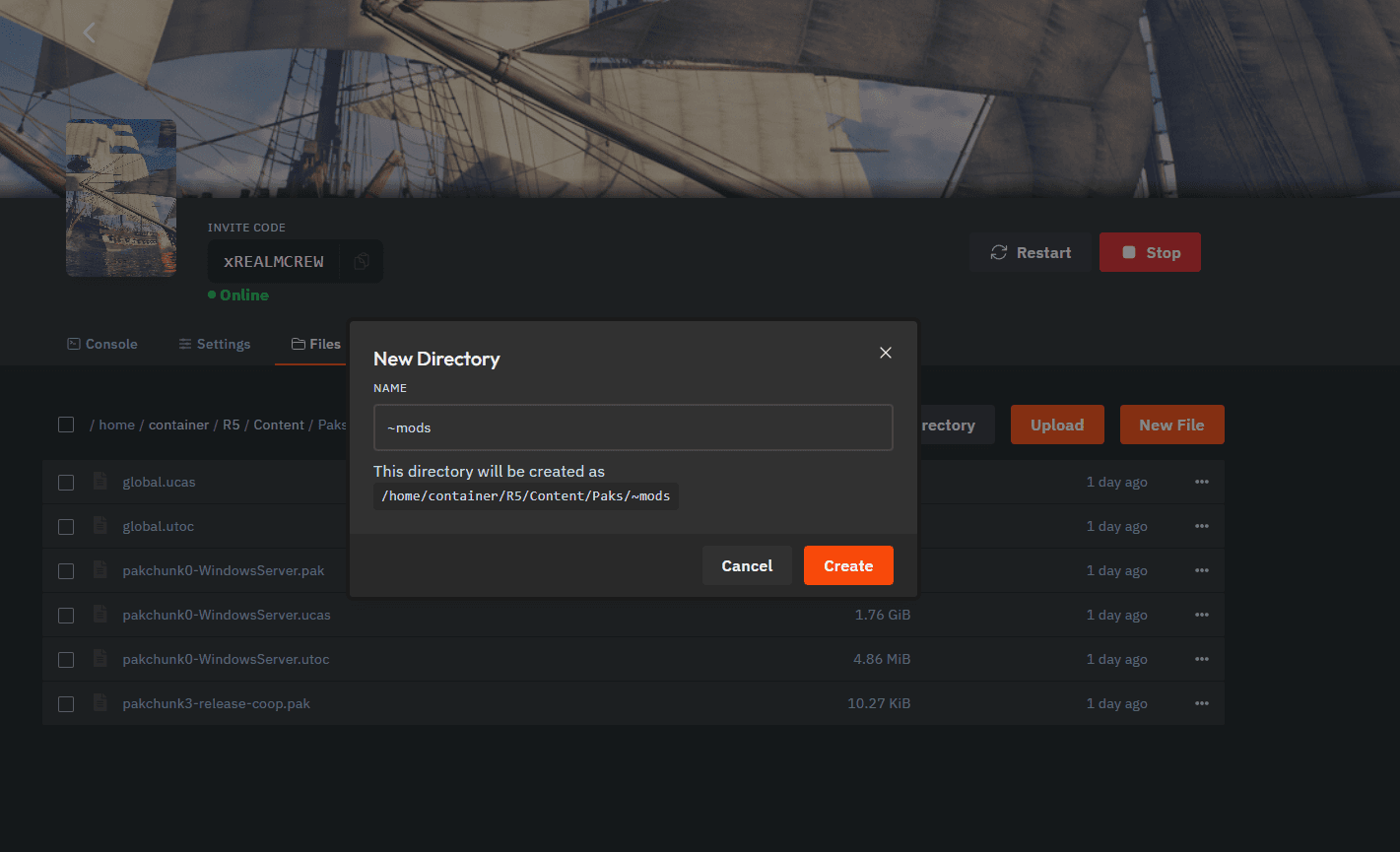
- Navigate to:
/R5/Content/Paks/
Step 4: Create Mods Folder
Create a new folder named:
~mods
Step 5: Upload and Apply Mods
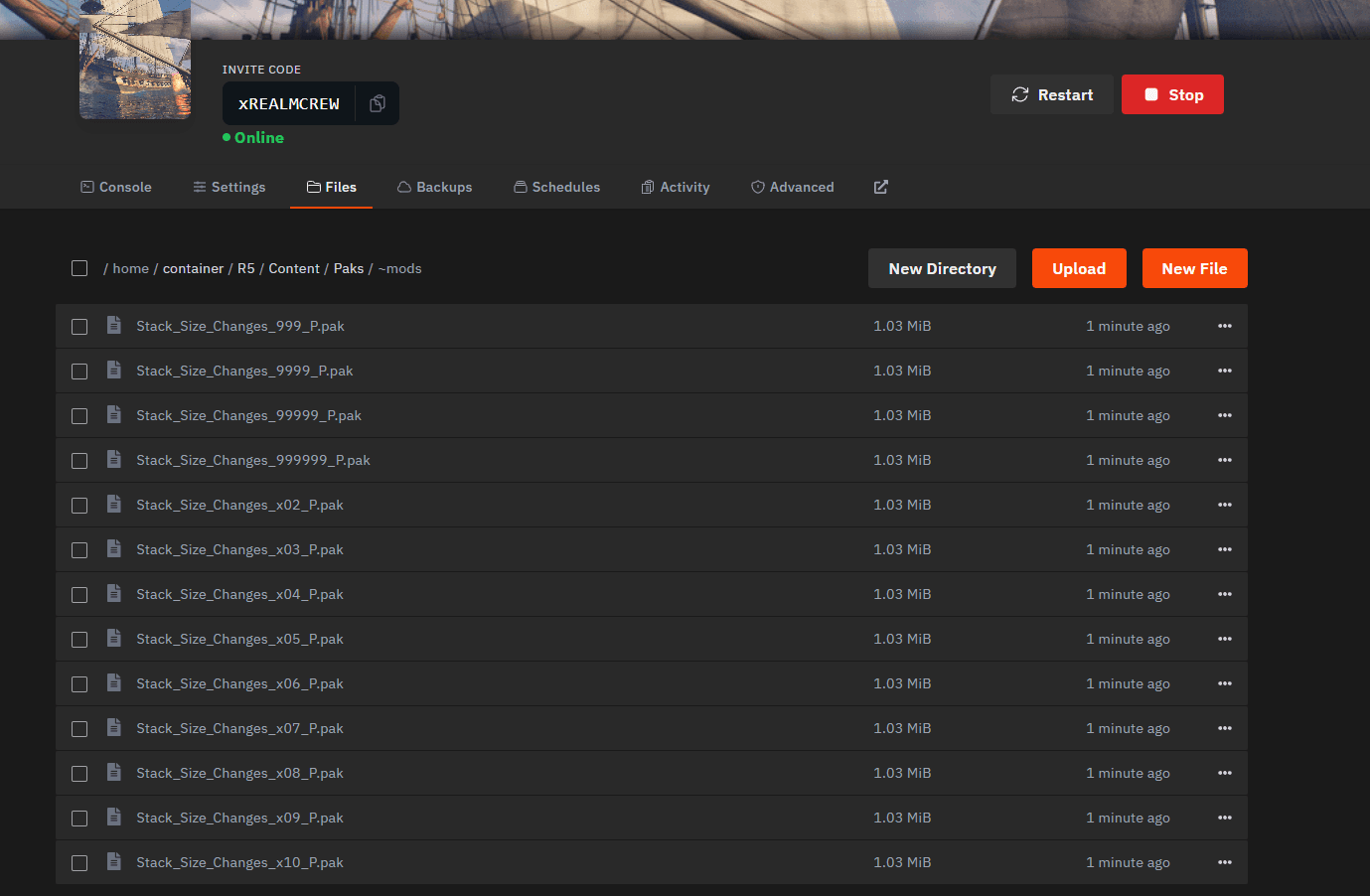
- Upload the
.pakfiles into the~modsfolder - Restart your server
Notes
- Only use mods that are confirmed to work in multiplayer
- Do not rename the
.pakfiles unless instructed by the mod creator - Restart is required for mods to load